
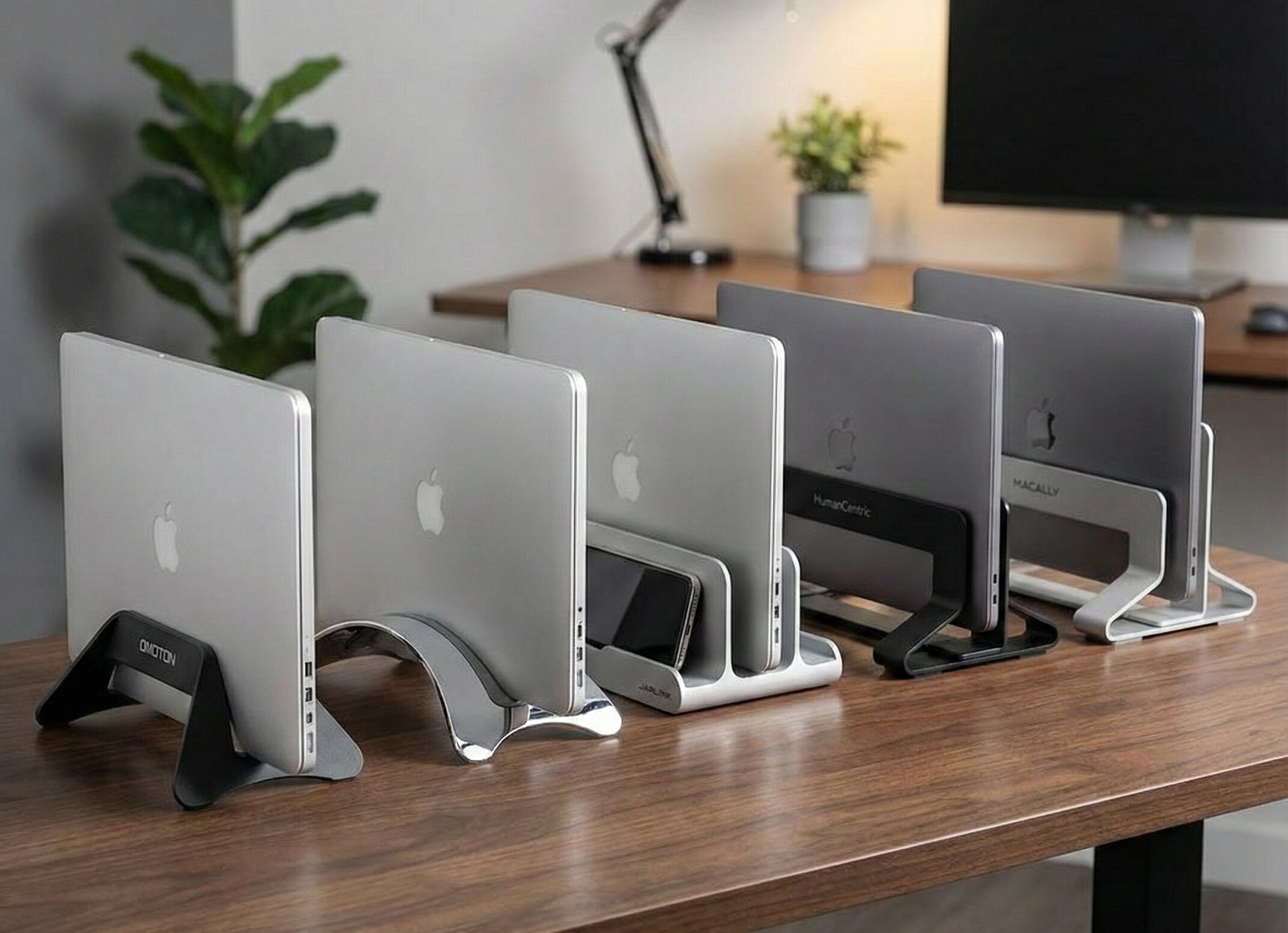
You have upgraded to a monitor arm and an ergonomic keyboard, but your laptop is still taking up valuable desk space. The solution? Switch to “Clamshell Mode” with the best vertical laptop stand.
A vertical stand holds your closed laptop upright, clearing up to 80% of the space it usually occupies. It not only makes your setup look professional and clean but also improves airflow to keep your device cool.
In this guide, we’ve tested the top 5 vertical holders of 2026 to help you organize your Ergo Setup Lab perfectly.
Quick Top Picks: Best Vertical Stands
| Product Name | Product Image | Category | Main Feature | Buy Now |
| OMOTON Vertical Stand | 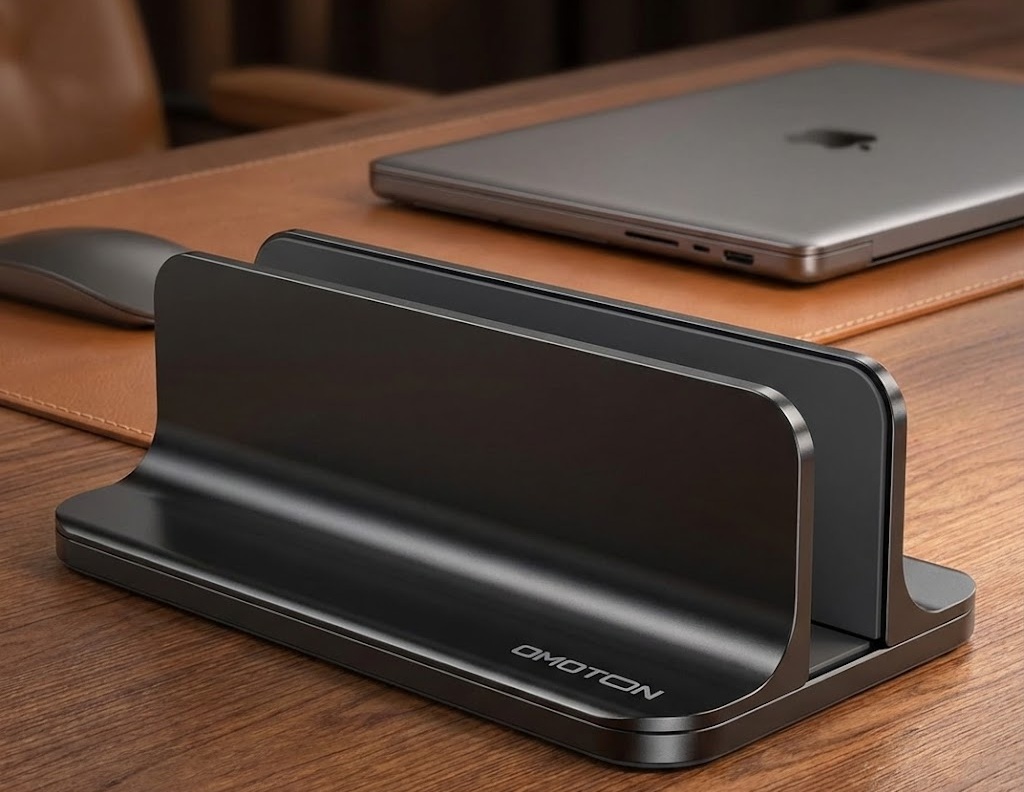 | Best Overall | Adjustable Width & Heavy Base | 🛒Check Price on Amazon |
| Twelve South BookArc | 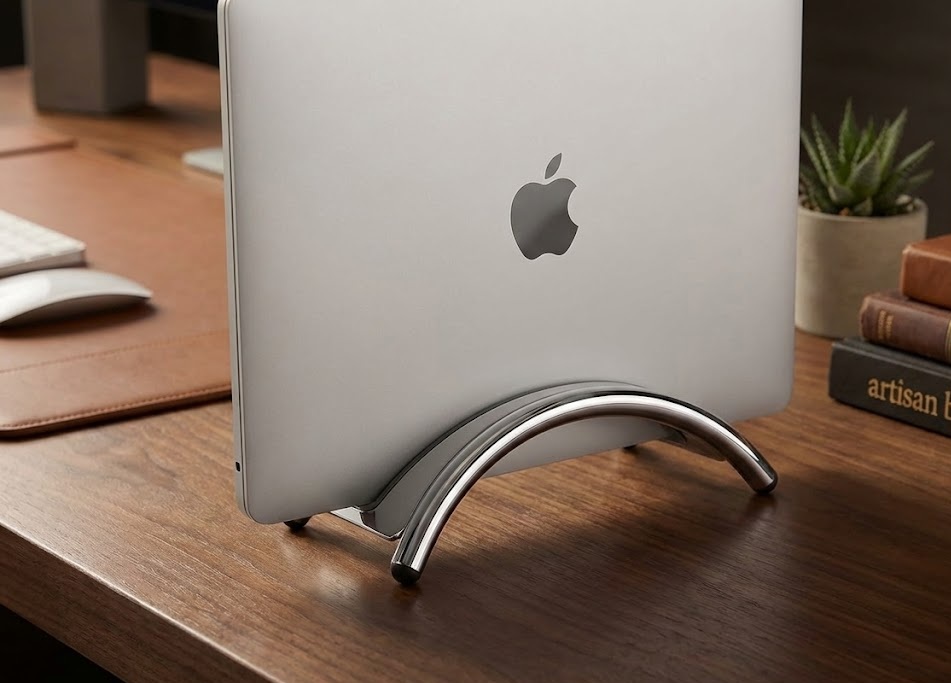 | Best for Mac | Premium Design for MacBook | 🛒Check Price on Amazon |
| JARLINK Double Slot | 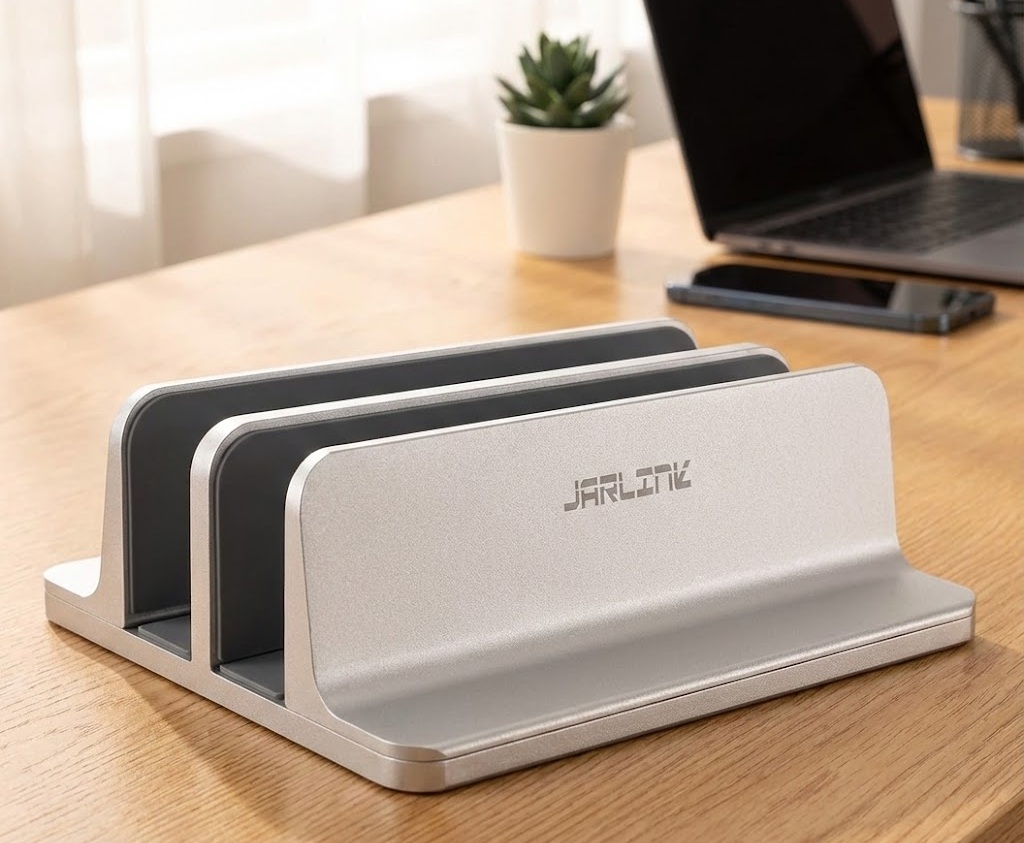 | Best for Dual | Holds 2 Laptops at Once | 🛒Check Price on Amazon |
| HumanCentric Stand | 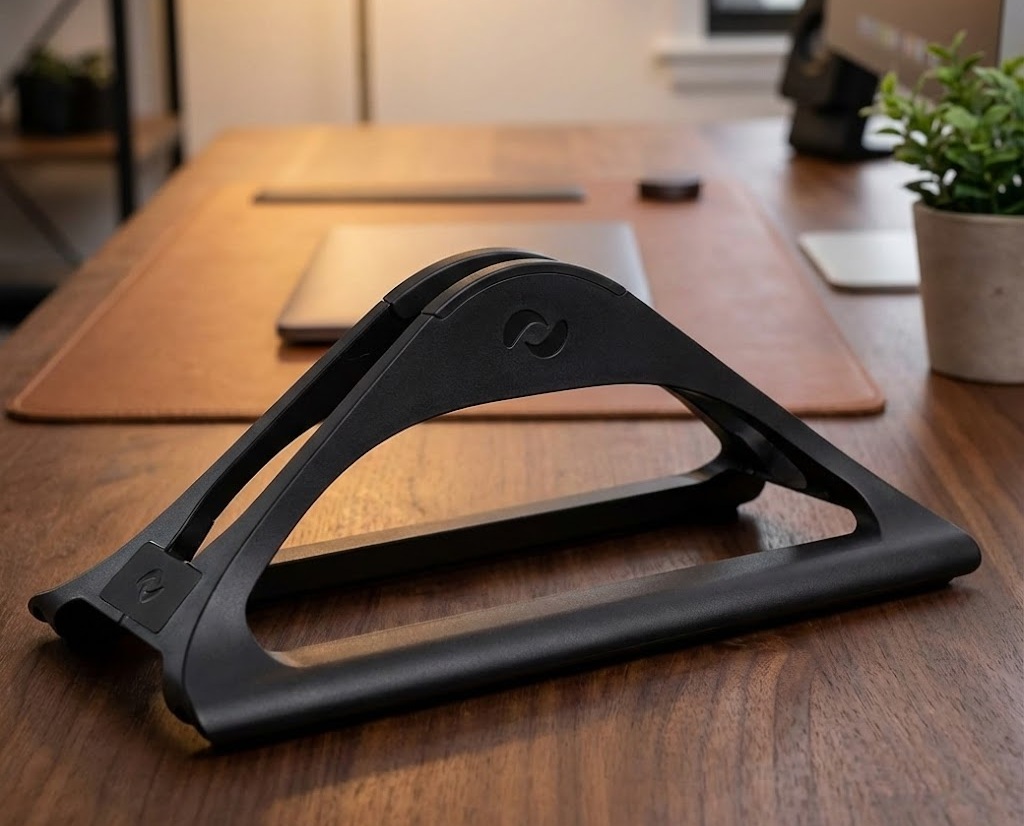 | Best Design | Wood Accent Finish | 🛒Check Price on Amazon |
| Macally Vertical Laptop Stand | 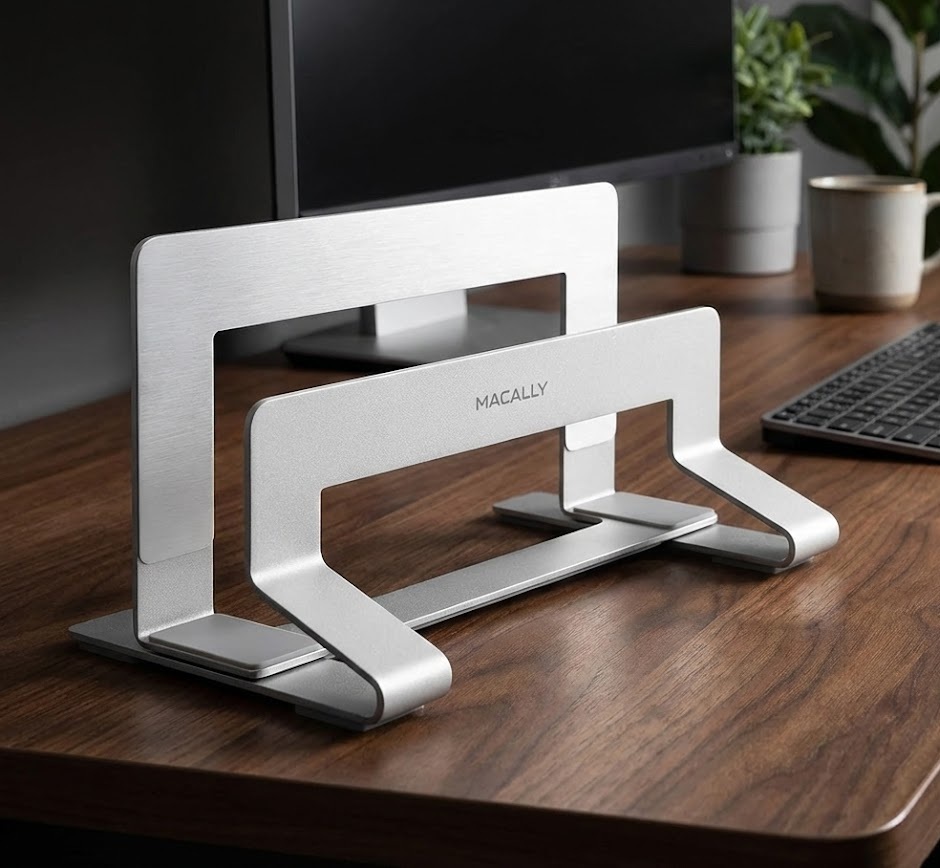 | Best Budget | Simple & Affordable | 🛒Check Price on Amazon |
In-Depth Reviews of the Best Vertical Laptop Stands
1. OMOTON Vertical Laptop Stand (Best Overall)
The OMOTON is the king of vertical stands. Unlike fixed stands, it features an adjustable width that you can change using a simple knob. Whether you have a thin MacBook Air or a thick Gaming Laptop, this stand fits them all.
- Material: Anodized Aluminum (matches Apple Gray).
- Stability: Heavy base prevents tipping over.
- Protection: Silicone mats inside to prevent scratches.
Pros & Cons: ✅ Pros: Fits any laptop thickness (adjustable). ✅ Pros: Very sturdy and heavy. ❌ Cons: The branding logo is a bit large.
Our Verdict: The most versatile choice for any user. It just works.
2. Twelve South BookArc (Best Premium for Mac)
If aesthetics matter most to you, the Twelve South BookArc is the original premium choice. It lifts your MacBook off the desk, protecting it from spills and improving airflow. It is designed exclusively for Apple users.
- Design: Elegant arc shape.
- Cable Management: Built-in cable catch underneath.
- Compatibility: Comes with different inserts for various MacBooks.
Pros & Cons: ✅ Pros: Looks like a piece of modern art. ✅ Pros: Saves huge desk space. ❌ Cons: Not adjustable (you must use the correct silicone insert).
Our Verdict: The best choice for Apple purists who want a luxury look.
3. JARLINK Double Vertical Stand (Best for Multiple Devices)
Do you use a personal laptop AND a work laptop? The JARLINK Double Slot stand solves the clutter by holding both devices vertically at the same time. You can even use the second slot for a tablet or phone.
- Slots: Two adjustable slots.
- Versatility: Can hold a laptop + iPad + Phone.
- Build: CNC-machined aluminum.
Pros & Cons: ✅ Pros: Organizes two devices in the footprint of one. ✅ Pros: Adjustable width for both slots. ❌ Cons: Can look bulky if you only use one laptop.
Our Verdict: Essential for anyone juggling work and personal devices on one desk.
4. HumanCentric Vertical Laptop Stand (Best Wood Design)
Most stands look like industrial metal. The HumanCentric stand adds a touch of warmth to your desk with a beautiful black walnut wood accent. It features a unique self-adjusting mechanism that uses gravity.
- Mechanism: Gravity-locking (closes as you drop the laptop in).
- Style: Wood and black matte finish.
- Padding: Soft felt lining.
Pros & Cons: ✅ Pros: No screws or knobs needed; it adjusts automatically. ✅ Pros: Stylish wooden aesthetic. ❌ Cons: Slightly pricier than basic aluminum stands.
Our Verdict: Perfect if your desk setup has wooden accents.
5. Macally Vertical Laptop Stand (Best Budget Choice)
You don’t need to spend over $40 to get a sturdy stand. The Macally Vertical Stand is a heavy-duty steel solution that keeps your laptop secure without the premium price tag. Unlike cheap plastic alternatives, this one has a weighted base to prevent tipping.
- Material: Solid Steel (Heavy and stable).
- Adjustability: Fits laptops from 0.63″ to 1.19″ thick.
- Protection: Non-slip rubber pads inside and on the bottom.
Pros & Cons: ✅ Pros: Heavy base makes it very stable. ✅ Pros: Easy to adjust with a simple sliding mechanism. ❌ Cons: The design is functional, not as “sleek” as aluminum models.
Our Verdict: The best value-for-money option for students or anyone who wants a stand that just works.
Why You Should Switch to a Vertical Stand
1. Maximize Desk Space
If you use an external monitor (check our review of the [Best Monitor Arms]), you don’t need your laptop screen open. A vertical stand reclaims that desk real estate for your keyboard and mouse.
2. Improve Device Cooling
Laptops lying flat trap heat underneath. Standing them vertically exposes the largest surface area to the air, helping your laptop run cooler and faster.
3. Protects from Spills
We’ve all been there—a spilled coffee on the desk. If your laptop is flat, the keyboard gets flooded. If it’s elevated on a vertical stand, it stays safe and dry.
Final Thoughts
A cluttered desk leads to a cluttered mind.
- For the best adjustability, grab the OMOTON.
- For Apple aesthetics, the Twelve South BookArc is unbeatable.
- Have two laptops? The JARLINK Double Slot is a lifesaver.
Pair this stand with one of the best ergonomic keyboards from our list, and you have the perfect minimalist workstation.
Check Now:
5 Best Anti-Fatigue Mats for Standing Desks (2026 Review)
5 Best Seat Cushion for Office Chairs to Relieve Back Pain (2026)