
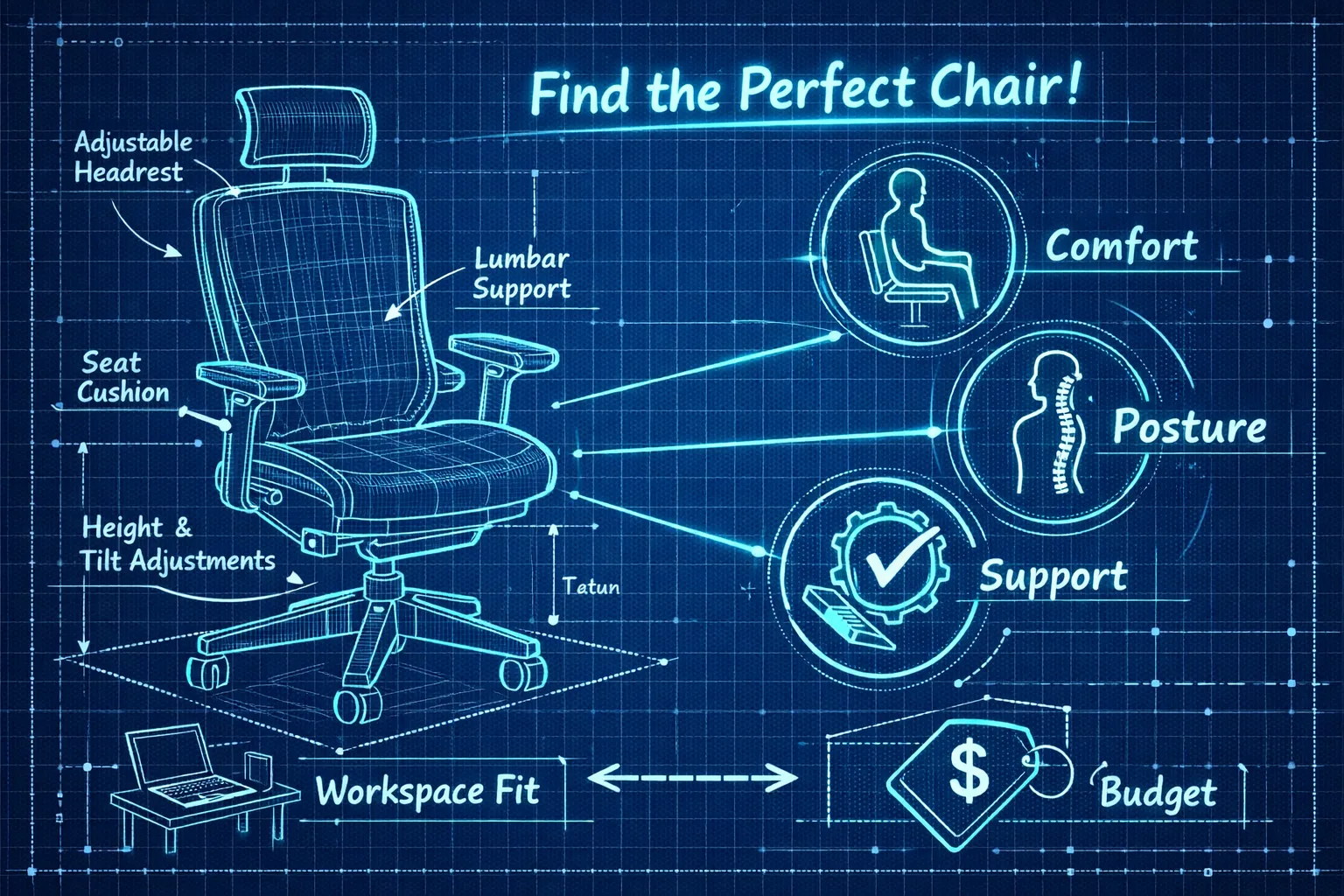
Choose adjustability over looks when shopping for the best ergonomic desk chair. To reduce pain, focus on how lumbar support moves with you, whether seat depth fits your femur length, and if armrests and recline let you change position through the day. These fit-and-movement features predict long-term comfort far more than upholstery or brand, so use them to narrow options and avoid costly mistakes.
Key takeaways
- Fit over looks: prioritize adjustability instead of upholstery or logos. A chair that moves with you matters most for long-term comfort.
- Make lumbar nonnegotiable: height-and-depth adjustable lumbar support is the single biggest feature to reduce lower-back pain.
- Measure seat fit: match seat depth and height to your femur length, aim for a 1–2 finger gap behind the knee, and keep your feet flat.
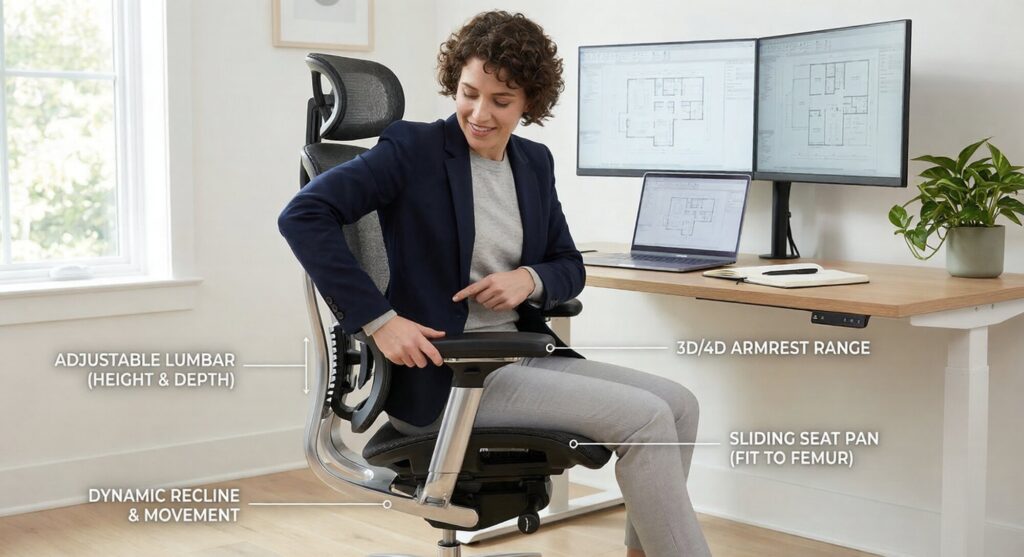
- Encourage movement: 3D/4D armrests and synchronized or variable-tension recline support frequent posture changes and reduce spinal loading.
- Test before committing: try chairs for 15–30 minutes or confirm generous return windows; shortlist by body type and budget.
1. What actually matters: the features that reduce back pain
Lumbar support is the most important feature for reducing lower-back pain. A dynamic lumbar that allows both height and depth adjustment supports the small of the back rather than pushing at one point, and it should sit roughly at belt level rather than at the ribs. Fixed lumbar pads can work for some people, but they often end up too high or too low, so confirm the lumbar range before buying.
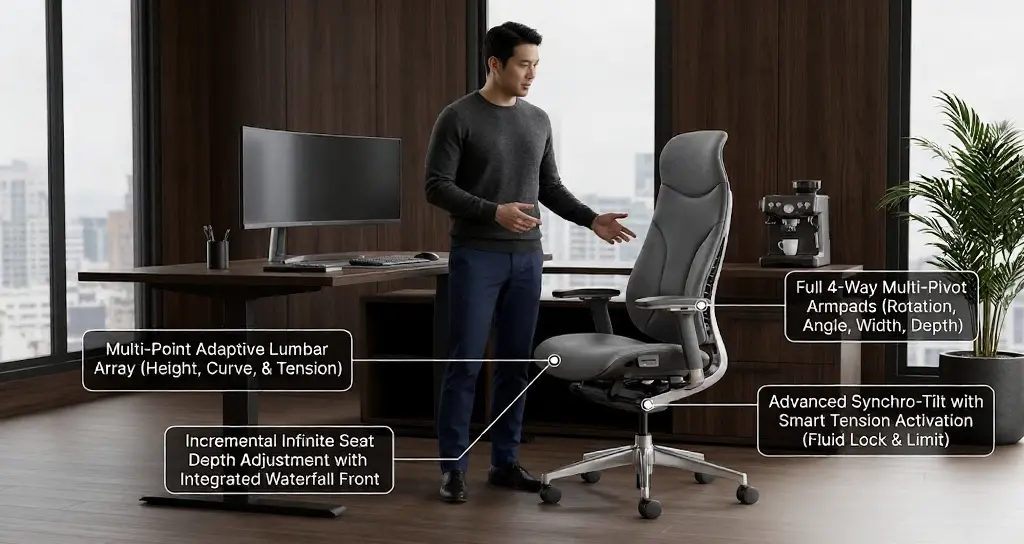
Seat depth and seat height are fit issues, not style choices, so prioritize adjustability over upholstery. Adjustable seat depth prevents pressure behind the knee and preserves circulation during long sits, while correct seat height keeps your feet flat and your hips slightly above your knees. When testing, you should be able to fit 1–2 fingers between the back of your knee and the seat edge, and the chair should allow your feet to rest flat at several height settings.
Armrests, tilt, and movement compound comfort gains when they work together. Look for 3D or 4D armrests and a synchronized or variable-tension recline so the chair moves with you and redistributes load as you change posture. Prioritize mechanisms that support active sitting rather than locking you into a single position.
2. Match features to bodies and pain profiles
Tall users need measurable fit rather than vague marketing claims. Aim for seat depth around 18–20 inches, a taller backrest, and a gas lift that reaches higher than typical minimums to support people over six feet. When possible, try Size C Aeron models or chairs known for taller fits such as Steelcase Leap, and request seat depth and backrest height numbers from the manufacturer before buying.
Petite users benefit from shallower seats and lower minimum heights. Aim for a minimum seat height near 14–16 inches so your feet can sit flat while your knees clear the seat edge. If the chair still leaves your feet dangling, use a footrest and confirm return policies and exact dimensions when buying online.
People who need big-and-tall options should prioritize reinforced frames, higher weight ratings, wider seats, and heavy-duty casters. Look for chairs rated 300 pounds and up, durable upholstery or thicker foam, and longer warranties. Mesh can work if the frame and suspension are reinforced, but many larger users prefer foam seats for more even, cushioned support.
If you have chronic lower-back pain or sit long hours, make lumbar adjustability and a supportive recline nonnegotiable features. Many therapists recommend adjustable seat depth plus lumbar so the chair moves with you rather than forcing a single posture. Match those features to your pain profile and you will narrow the field quickly.
3. Best ergonomic desk chair picks by price and use case
Under $200: value starter options. Budget models such as Alera Wessex, Ticova, Sihoo, and basic Hbada chairs provide breathable mesh, acceptable cushioning, and simple lumbar support that suit part-time home-office use. They improve on dining chairs and make a reasonable temporary solution, but expect fewer precise adjustments and shorter warranties. For a wider survey of affordable chairs, see Tom’s Guide — best budget office chairs. If you’re specifically shopping under $300, check our 5 Best Ergonomic Office Chairs for Back Pain Under $300 (2026 Review).
$200–$600: midrange winners. If you want the best ergonomic desk chair for value, consider Branch Ergonomic, Colamy Atlas, or higher-tier Hbada models. These typically provide reliable lumbar support, 3D or 4D armrests, and better seat depth or tilt options, making them a strong choice for full-time remote workers without premium pricing. For dedicated remote-work recommendations, see our guide to the best ergonomic chair for working from home.
$600–$1,200: premium value and refurbished high-end. Refurbished Steelcase Leap v2 and Aeron chairs stand out in this range, offering advanced mechanisms and proven durability at reduced cost. Buying certified refurbs with a warranty can give you many benefits of high-end lumbar support and mechanics without the new-chair premium.
$1,200 and up: premium new chairs. New models such as Humanscale Freedom, Steelcase Gesture, and premium Herman Miller chairs deliver refined mechanics, multi-axis adjustability, and longer warranties for people with chronic pain or heavy daily use. Higher price buys better fit and long-term reliability when a chair is matched to your body.
4. Head-to-head: our flagship comparison table and testimonials
We compared flagship models using consistent columns: lumbar type, seat depth adjustability, armrest range, tilt system, seat height range, weight capacity, materials, price, warranty, and best use case. That side-by-side view shows which model is the best ergonomic desk chair for your needs based on measurable features rather than marketing copy.
- Humanscale Freedom: dynamic lumbar, adjustable seat depth, 3D arms, weight-activated tilt; seat height 15.5-20.5 in, 300 lb capacity, foam and mesh construction, premium price, 10-year warranty. Best for overall comfort.
- Steelcase Leap: adjustable lumbar and seat depth, 4D arms, multi-tilt; seat height 16-21 in, 400 lb capacity, fabric upholstery, mid-high price, 12-year warranty. Best for long sittings.
- Herman Miller Aeron: fixed or optional adjustable lumbar, limited depth adjustment, 3D arms, tilt limiter; seat height 15-20 in, 350 lb capacity, mesh, premium price, 12-year warranty. Best for breathability.
- Haworth Soji: adjustable lumbar and depth, 4D arms, synchro-tilt; seat height 16-21 in, 350 lb capacity, mixed materials, premium price, 10+ year warranty. Best for custom fit.
- Branch / Colamy: adjustable lumbar, limited depth adjustment, 3D arms, tilt; seat height 15-20 in, 300 lb capacity, fabric, mid-price, 5-year warranty. Best value.
- Ticova: fixed or simple adjustable lumbar, limited depth, 3D arms, basic tilt; seat height 15-19 in, 275 lb capacity, PU leather, budget price, 2–3 year warranty. Best budget pick.
Many users notice relief when they match a chair to their measurements. Jordan, a 35-year-old UX designer, reports “Lower-back pressure eased within two weeks,” and Priya, a 28-year-old product manager, says she can “sit through long design sprints without a mid-day slump.” Retail ratings for these models usually range from 4.3 to 4.6 out of 5 depending on configuration. For additional model-level reviews, consult retailer guides such as BTOd’s best office chair reviews. For common needs, choose Humanscale Freedom for lower-back support, Steelcase Leap for tall users, Haworth Soji or Branch/Colamy for value, and Ticova for strict budgets.
5. Try, buy, and set up: tests, trials, and the 5-minute setup that matters
When you try a chair in-store or at home, reproduce the positions and tasks you use most. Sit as you would during a heavy work session and test lumbar placement, seat depth, armrest range, and recline tension for at least 10–30 minutes. Bring shoes and any tools you normally use, like a laptop or keyboard, so the chair is evaluated under real conditions.
Five-minute setup checklist:
- Seat height: raise until your feet are flat and knees are at hip level.
- Seat depth: slide forward until you feel support, then back until there is a 1–2 finger gap behind your knees.
- Lumbar: align the lumbar pad with your belt line so your lower back is supported.
- Armrests: set so elbows are roughly 90 degrees and shoulders stay relaxed.
- Recline tension: adjust so you can lean back while keeping feet flat and your head aligned with the monitor.
For a full step-by-step photo guide and model-specific setup tips, see our How to Set Up Ergonomic Chair (Plus 4 Best Models of 2026). Buy smart by checking warranty lengths and trial windows before committing. Long warranties, such as 12-year coverage from some manufacturers, are helpful but always verify the current terms for the specific model — manufacturer pages list current warranty terms, for example see Herman Miller warranty and service details. Refurbished chairs can deliver premium support at lower cost if the seller verifies parts and gas-lift age and provides a clear service history. After setup, fine-tune settings weekly for the first month to lock in comfort.
6. Final shortlist, maintenance, and next steps
Shortlist chairs by body type and budget rather than by price alone. For back pain, our top pick is Humanscale Freedom for its intuitive lumbar support and smooth recline. Steelcase Leap is the best midrange value for precise adjustability and long-term durability, and Sihoo M57 offers solid ergonomics at a lower price point.
Simple maintenance keeps any adjustable desk chair working longer. Clean mesh and upholstery with mild detergent, check the gas lift and casters for wobble, tighten screws every three months, and replace seat foam when it flattens or loses recovery. If you buy refurbished, confirm the seller’s inspection checklist and warranty coverage for moving parts.
Your next steps: measure seated hip-to-knee distance and lumbar height, shortlist three chairs that match those numbers, and try each for at least 15 minutes when possible. If you must buy online, compare return policies and warranties so you can test at home and return quickly if the fit is wrong. Visit Ergo Setup Lab to view our full head-to-head data, verified prices, and retailer links that make it easier to compare exact dimensions and trial terms: Ergo Setup Lab.
Choose the best ergonomic desk chair with confidence
Choosing the best ergonomic desk chair comes down to fit and controlled movement rather than a long spec sheet. Prioritize strong, adjustable lumbar support and a seat that matches your leg length, then add armrest and recline options that encourage posture changes throughout the day. For regional picks and buying guides in the UK, see The Independent’s guide to the best ergonomic office chairs.
2 thoughts on “How to Choose the Best Ergonomic Desk Chair”