
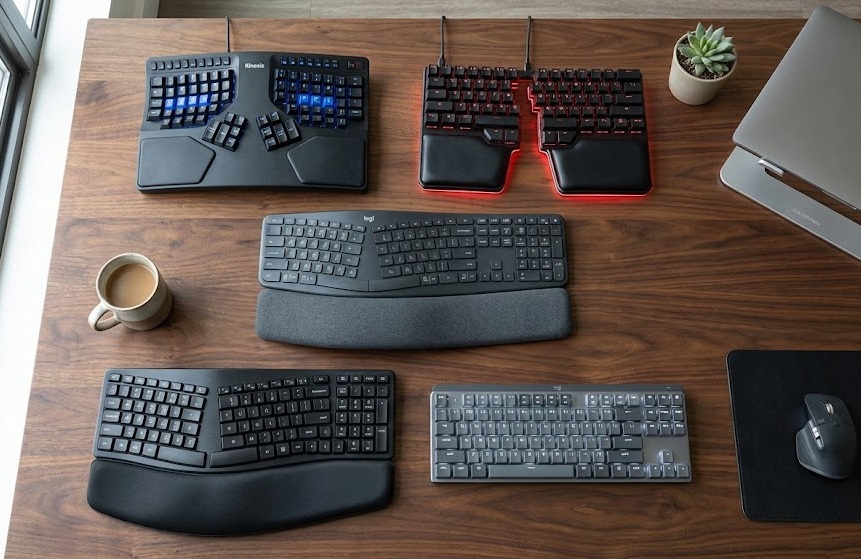
Does your wrist feel sore after hours of typing? Or maybe your fingers feel stiff at the end of the day?
Standard flat keyboards force your hands into an unnatural “flat” position, straining your tendons and wrists. Over time, this small discomfort can turn into serious repetitive strain injuries (RSI).
The solution is simple: Upgrade to the Best Ergonomic Keyboard.
These keyboards are designed to fit the natural curve of your hands, allowing you to type for hours without pain. In this guide, we have reviewed the top 5 ergonomic keyboards for 2026 that will protect your wrists and boost your typing speed.
Quick Top 5 Picks: At A Glance
If you are in a hurry, here are our top recommendations for every budget and need.
| Product Name | Product Image | Category | Why We Chose It | Buy Now |
| Logitech ERGO K860 | 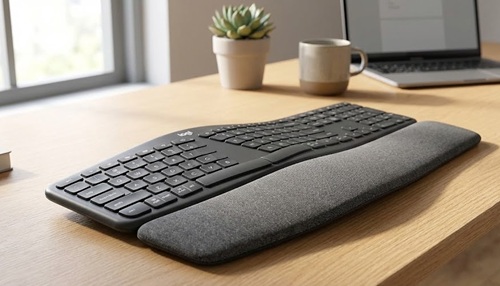 | 🏆 Best Overall | The perfect balance of comfort and split-curved design. | Buy Now |
| Arteck Ergonomic Split Keyboard | 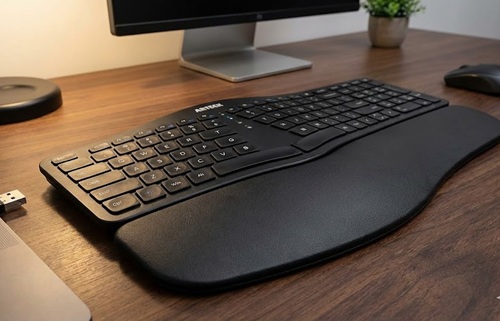 | 💰 Best Budget | A great split design at a very affordable price. | Buy Now |
| Logitech MX Mechanical | 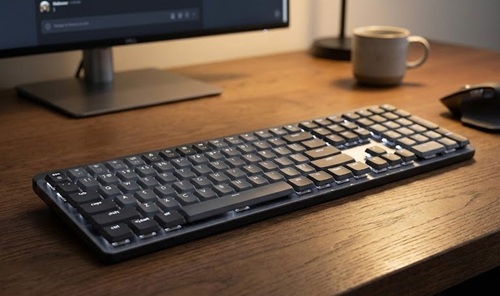 | ⚡ Best Mechanical | Low-profile mechanical keys for a satisfying typing feel. | Buy Now |
| Kinesis Advantage360 | 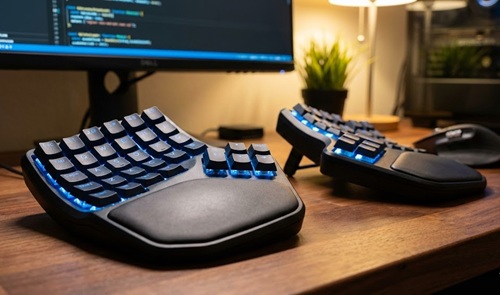 | 🦾 Best Pro Split | Fully adjustable split keyboard for serious ergonomic needs. | Buy Now |
| Dygma Raise 2 | 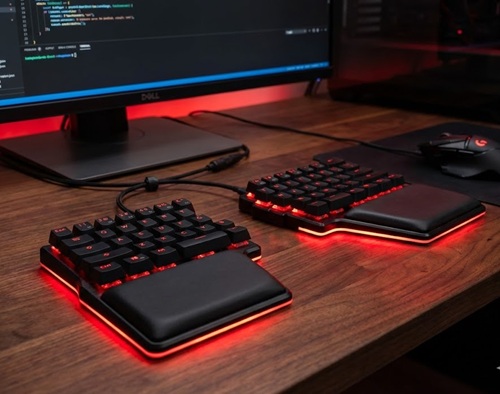 | 🎮 Best Hybrid | Premium split design with gaming-grade performance. | Buy Now |
1. Logitech ERGO K860 (Best Overall)
Perfect for: Writers, coders, and anyone suffering from general wrist pain.
The Logitech ERGO K860 is widely regarded as the king of ergonomic keyboards. Its unique “split-curved” keyframe places your hands, wrists, and forearms in a more natural posture.
Key Features:
- Type: Split Curved Keyframe
- Connectivity: Bluetooth & USB Receiver
- Battery Life: Up to 2 years (2x AAA batteries)
- Wrist Rest: Integrated Pillowed Support
Why We Like It: It includes a curved wrist rest that offers 54% more wrist support than standard keyboards. The keys are quiet and tactile, making it perfect for office environments. It connects wirelessly to up to 3 devices, so you can switch between your laptop and tablet instantly.
Pros: ✅ Proven split-curved shape reduces muscle strain. ✅ Extremely comfortable pillowed wrist rest. ✅ Silent typing (Scissor switches). ✅ Long battery life.
Cons: ❌ Wrist rest is not detachable. ❌ No backlight for night typing.
Our Verdict: If you want the best all-around ergonomic keyboard without a steep learning curve, this is the one to buy.
2. Arteck Ergonomic Split Keyboard (Best Budget)
Perfect for: Budget shoppers who want to try an ergonomic layout.
You don’t need to spend over $100 to save your wrists. The Arteck Ergonomic Split offers a comfortable split layout at a fraction of the cost of premium brands.
Key Features:
- Type: Fixed Split Layout
- Connectivity: 2.4G Wireless (USB Dongle)
- Battery: Rechargeable (Lasts months)
- Design: Full-size with Number Pad
Why We Like It: It features a cushioned wrist rest and a split key layout that encourages a neutral wrist position. The setup is easy—just plug in the USB dongle and start typing. It provides essential ergonomic benefits without the fancy price tag.
Pros: ✅ Very affordable. ✅ Includes a cushioned palm rest. ✅ Rechargeable battery. ✅ Quiet membrane keys.
Cons: ❌ Build quality feels basic (Plastic). ❌ Not fully adjustable.
Our Verdict: The Best Ergonomic Keyboard for students or anyone on a tight budget.
3. Logitech MX Mechanical (Best Mechanical)
Perfect for: Typists who love the “clicky” feel but want better ergonomics.
If you hate the mushy feel of laptop keyboards, the Logitech MX Mechanical is for you. It combines high-performance mechanical switches with a low-profile ergonomic design.
Key Features:
- Type: Low-Profile Mechanical
- Switches: Tactile Quiet, Clicky, or Linear options
- Backlight: Smart Illumination (Adjusts to light)
- Connectivity: Bluetooth & Logi Bolt
Why We Like It: The low-profile keys mean you don’t have to bend your wrists upwards to type, which is a common cause of pain. The keys offer satisfying feedback, helping you type faster and more accurately. The smart backlight automatically lights up when your hands approach.
Pros: ✅ Satisfying mechanical typing feel. ✅ Low profile reduces wrist extension. ✅ Smart backlighting saves battery. ✅ Connects to 3 devices via Easy-Switch.
Cons: ❌ Not a split design (less ergonomic than K860). ❌ Slightly expensive.
Our Verdict: The best choice for those who prioritize typing speed and tactile feedback.
4. Kinesis Advantage360 (Best Pro Split)
Perfect for: Developers and professionals with severe RSI or carpal tunnel.
The Kinesis Advantage360 is not just a keyboard; it’s a productivity machine. It features a fully split design with “key wells” that position your fingers at the perfect height.
Key Features:
- Type: Contoured Split Mechanical
- Connectivity: Wired or Wireless options
- Adjustability: Integrated Tenting (Angle adjustment)
- Layout: Ortholinear (Vertical columns)
Why We Like It: It allows you to separate the two halves to shoulder-width, keeping your chest open and reducing shoulder pain. The 3-way adjustable tenting lets you tilt the keyboard to fit your exact hand angle. It uses mechanical switches for durability.
Pros: ✅ Fully split design for maximum shoulder relief. ✅ “Key wells” reduce finger travel. ✅ Highly customizable layouts. ✅ Built like a tank.
Cons: ❌ Very expensive. ❌ Steep learning curve (takes a week to get used to).
Our Verdict: If you type for 8+ hours a day and have pain, this investment can save your career.
5. Dygma Raise 2 (Best Hybrid for Gamers)
Perfect for: Users who want a keyboard for both work and gaming.
The Dygma Raise 2 is a premium split keyboard that doesn’t look like a medical device. It offers the ergonomics of a split keyboard with the performance of a gaming board.
Key Features:
- Type: Split Mechanical
- Build: Aluminum Body
- Switches: Hot-swappable Low-profile
- Lighting: RGB Backlight
Why We Like It: You can keep the halves together like a normal keyboard for gaming or split them apart for ergonomic typing. It supports tenting and tilting, and the build quality is top-tier with an aluminum frame.
Pros: ✅ Premium aluminum construction. ✅ Split design adapts to your needs. ✅ Hot-swappable switches. ✅ Beautiful RGB lighting.
Cons: ❌ Pricey. ❌ Heavier than plastic options.
Our Verdict: The ultimate hybrid for ergonomic enthusiasts who also love to game.
Buying Guide: How to Choose an Ergonomic Keyboard
Not all ergonomic keyboards are the same. Here is what to look for:
1. Split vs. Curved (Unibody)
- Split Keyboards: (Like Kinesis Advantage360) allow you to separate the two halves. This is best for broad shoulders and relieving upper back pain.
- Curved Keyboards: (Like Logitech K860) are a single piece with a wave shape. They are easier to learn and great for general wrist pain.
2. Mechanical vs. Membrane
- Mechanical: (Like MX Mechanical) Offers tactile feedback. Great for typing speed but can be louder.
- Membrane/Scissor: (Like K860) Softer and quieter. Better for shared offices.
3. Wrist Support A good ergonomic keyboard should have a built-in or included wrist rest (cushion). This keeps your wrist neutral, preventing the dangerous “upward bend” that causes Carpal Tunnel.
Frequently Asked Questions (FAQ)
Q: Do ergonomic keyboards really help with pain? A: Yes. By keeping your hands in a natural position (less twisting and bending), they significantly reduce the strain on your nerves and tendons, helping to prevent RSI.
Q: Is it hard to type on a split keyboard? A: It takes a little practice. Most users get used to a curved layout (like the K860) in 1-2 days, while fully split keyboards (like Kinesis) might take a week to master.
Q: Which keyboard is best for Mac users? A: The Logitech MX Mechanical and ERGO K860 both have dedicated Mac layouts and connect seamlessly via Bluetooth.
Check Out:
5 Best Ergonomic Office Chairs for Back Pain Under $300 (2026 Review)
5 Best Ergonomic Mouse for Wrist Pain & Carpal Tunnel (2026 Review)
4 thoughts on “5 Best Ergonomic Keyboards for Typing Comfort & Wrist Pain (2026 Review)”