
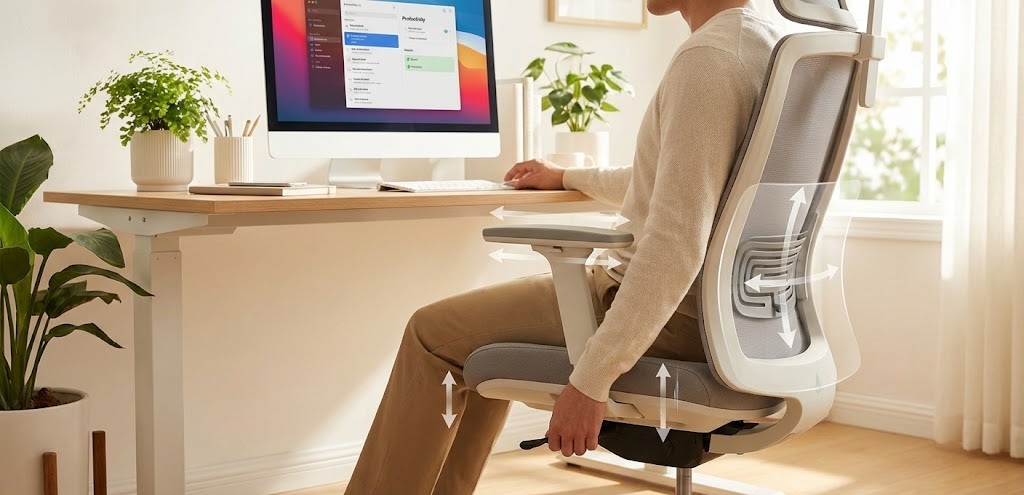
Learning how to adjust office chair settings is essential for back pain relief.
Buying an ergonomic chair is only half the battle. If you don’t adjust it correctly to fit your body, even a $1000 chair can cause back pain. Many people sit on expensive chairs incorrectly for years without knowing it.
In this guide, we will show you exactly how to set up your office chair to prevent back pain, neck strain, and fatigue.
(Internal Link Opportunity: If your current chair is broken or uncomfortable, check out our guide on the 5 Best Ergonomic Office Chairs for Back Pain Under $300.
1. Adjust the Seat Height
This is the most important step when you adjust office chair height. If your seat is too high, your legs will dangle, cutting off circulation. If it’s too low, your hips will suffer.
- Stand in front of the chair. Adjust the height so the seat cushion is just below your kneecaps.
- Sit down. Your feet should be flat on the floor, and your knees should form a 90-degree angle.
2. Check the Seat Depth
Seat depth refers to how much space is between the edge of the seat and your knees.
- Sit all the way back in the chair.
- Check the gap between the front edge of the seat and the back of your calves.
- You should be able to fit a clenched fist (about 2-3 inches) in that gap.
- If the seat touches your calves, it will restrict blood flow.
3. Position the Lumbar Support
Most ergonomic chairs come with adjustable lumbar support.
- Sit upright and feel the natural curve of your lower back (just above your belt line).
- You must adjust office chair lumbar support up or down to fit your curve.
- It should feel supportive, not like it’s pushing you forward.
4. Set the Armrests Correctly
If you do not adjust office chair armrests correctly, it causes shoulder tension.
- Sit with your arms hanging loosely by your sides.
- Bend your elbows to a 90-degree angle.
- Raise the armrests until they barely touch your elbows.
- Your shoulders should remain relaxed, not pushed up towards your ears.
5. Monitor Level (Bonus Tip)
Your chair works together with your desk and monitor.
- Once your chair is set, look at your monitor.
- The top of the screen should be at or slightly below eye level.
- If you have to look down or up, you will develop neck pain.
Final Thoughts: How to Adjust Office Chair Correctly
Taking 5 minutes to adjust your chair today can save you from years of chronic pain. Listen to your body—if you feel discomfort, tweak the settings until it feels right.
2 thoughts on “How to Adjust Office Chair for Maximum Comfort (Step-by-Step Guide)”