
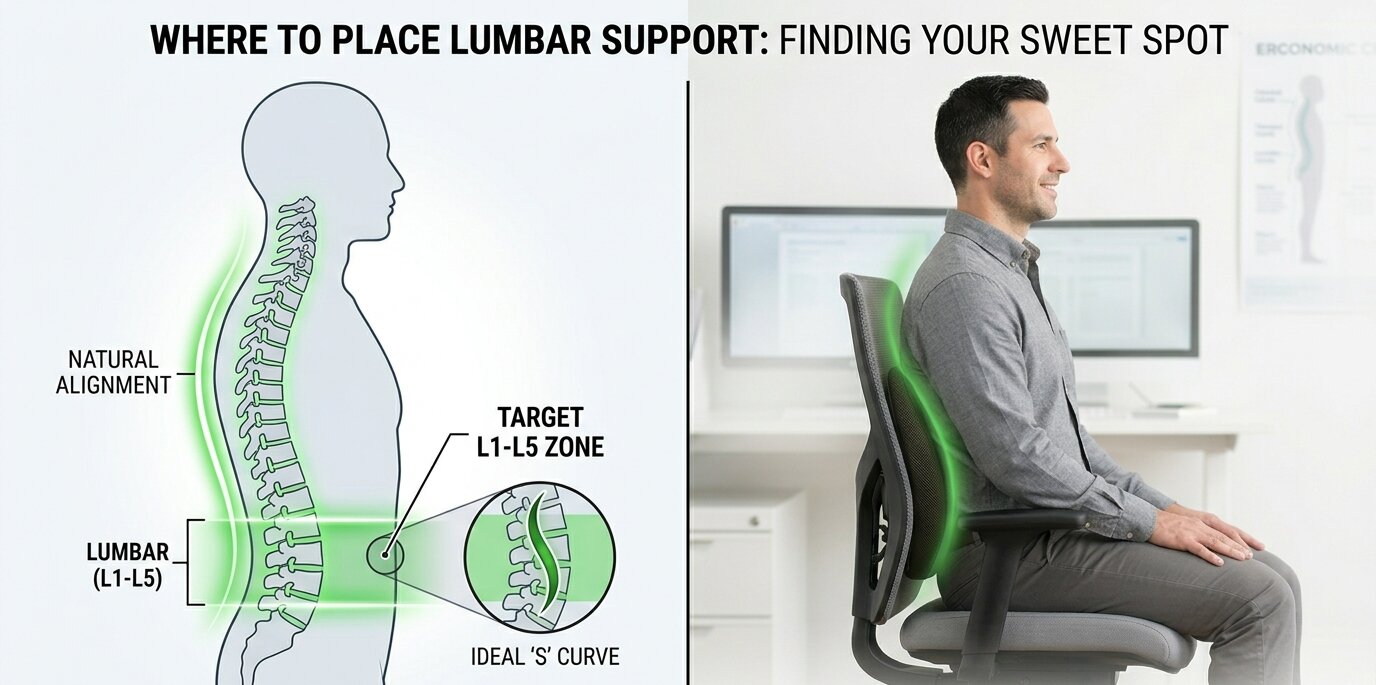
If you spend a significant portion of your day sitting at a desk, you already know that a good ergonomic setup is the foundation of a productive workday. Investing in a high-quality office chair is a fantastic first step, but even the most expensive seat won’t help if it isn’t adjusted correctly to fit your unique body. One of the most common questions we hear at Ergo Setup Lab from people trying to improve their posture is where to place lumbar support on chair setups to actually prevent lower back pain.
Getting this right is crucial. When adjusted properly, a lumbar support pillow or built-in mechanism fills the gap between your lower spine and the seat, reducing the stress on your muscles and preserving your natural spinal curve. Let’s dive into the anatomy of a healthy sitting posture and discover the exact positioning you need to stay comfortable all day long.
Understanding the Natural Curve of Your Spine
To understand exactly where your chair’s backrest should sit, it helps to understand a little bit about human anatomy. The human spine is not perfectly straight; it naturally forms an ‘S’ shape. According to posture guidelines, your spine has three natural curves—at your neck, mid-back, and lower back.
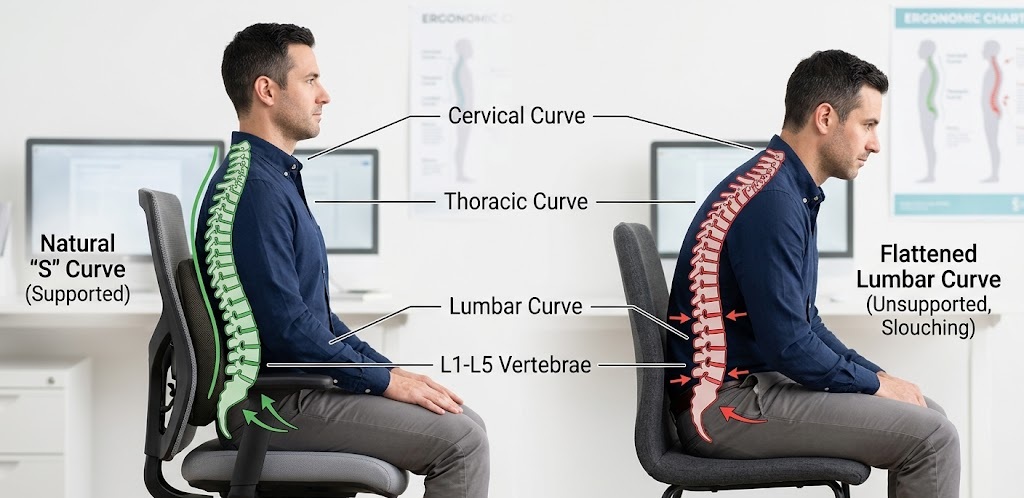
The lower back region, known as the lumbar spine, curves inward toward your belly. This inward curve is naturally supported when you are standing up straight. However, when you sit down, the pelvis tends to tilt backward, flattening out this curve and putting immense pressure on the discs in your lower back. This is why slouching feels natural at first but quickly leads to tension and pain.
By figuring out exactly where to place lumbar support on chair backrests, you can artificially recreate the natural standing curve of your lower spine even while you are seated.
The Exact Spot: Where to Place Lumbar Support on Chair
So, what is the golden rule? Where to place lumbar support on chair models ultimately depends on your height, but the anatomical target remains the exact same for everyone.
The lumbar support should rest precisely in the curve of your lower back, flush against the small of your back. Anatomically speaking, this is around the L1 to L5 vertebrae. For most individuals, this sweet spot is located right at, or slightly below, your belt line.
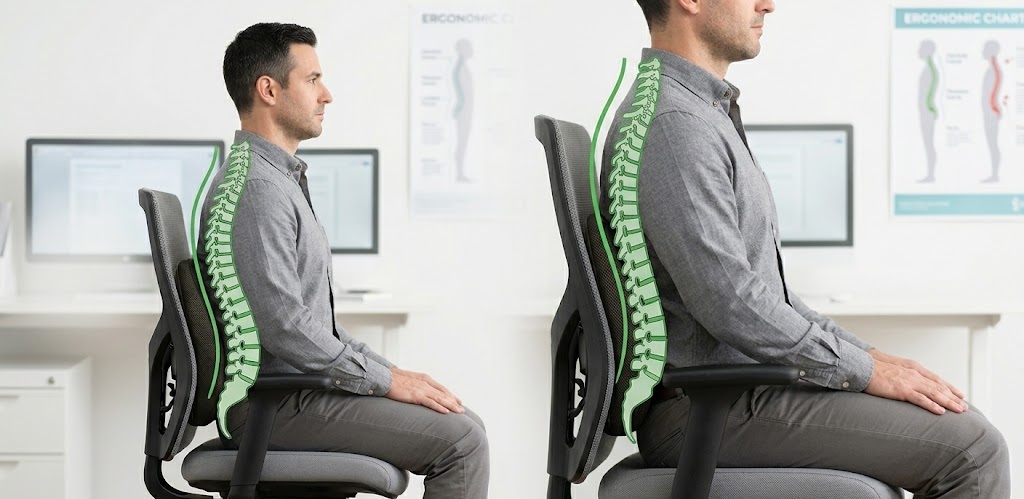
Here is a step-by-step guide to finding your perfect position:
- Sit all the way back: Push your hips as far back into the seat pan as possible. Your back should be touching the backrest.
- Locate the curve: Reach behind you and feel for the deepest part of the inward curve in your lower spine.
- Adjust the support: Move the lumbar mechanism or external pillow up or down until the thickest part of the cushion fills that curve completely.
- Test the pressure: You should feel a firm but comfortable pressure pushing your lower back gently forward. It should not feel like it is thrusting your spine out of alignment or poking your mid-back.
If you are using a separate cushion and wondering where do you put lumbar support on a chair that has no built-in adjustments, simply strap the cushion directly across the backrest so the peak of the cushion rests just above your waistline.
Signs Your Lumbar Support is in the Wrong Position
Sometimes, it is easier to tell when things are wrong than when they are right. If you have tried adjusting your seat but are still experiencing discomfort, you might have missed the target zone.
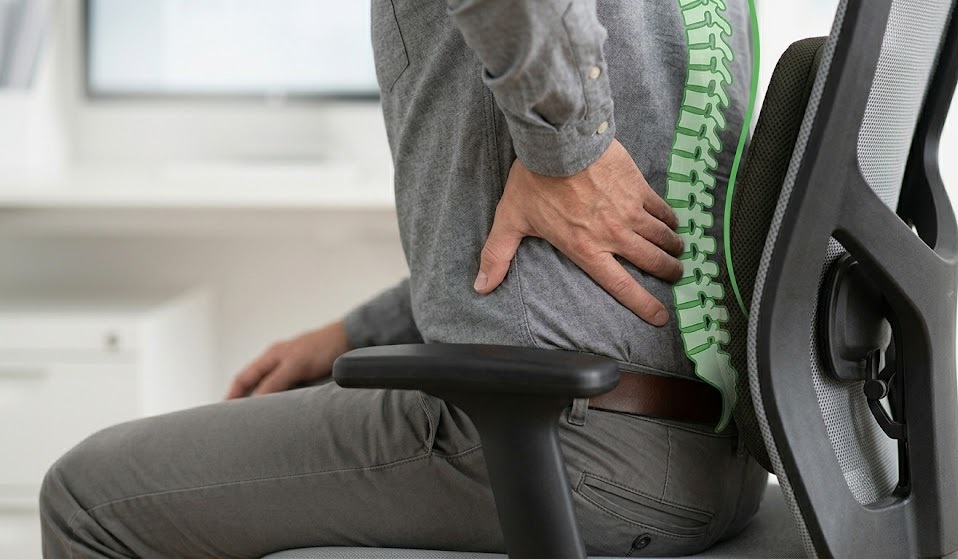
- Support is too high: If the cushion is resting against the middle of your back (behind your ribs), it will push your upper body forward. This forces you to lean forward, eliminating the benefit of the backrest entirely and causing shoulder and neck strain.
- Support is too low: If you are asking yourself where to place lumbar support on chair cushions and accidentally push it too far down, it will rest against your pelvis or tailbone. This actually forces your lower back to flatten out even more, entirely defeating the purpose of the support.
- The support is too thick: Sometimes the placement is right, but the depth is wrong. If the support is too aggressive, it will hyper-extend your spine, making your lower back muscles feel incredibly fatigued after just a few minutes.
How Different Chair Types Affect Placement
Different office setups require slightly different approaches to ergonomics.
Standard Ergonomic Office Chairs
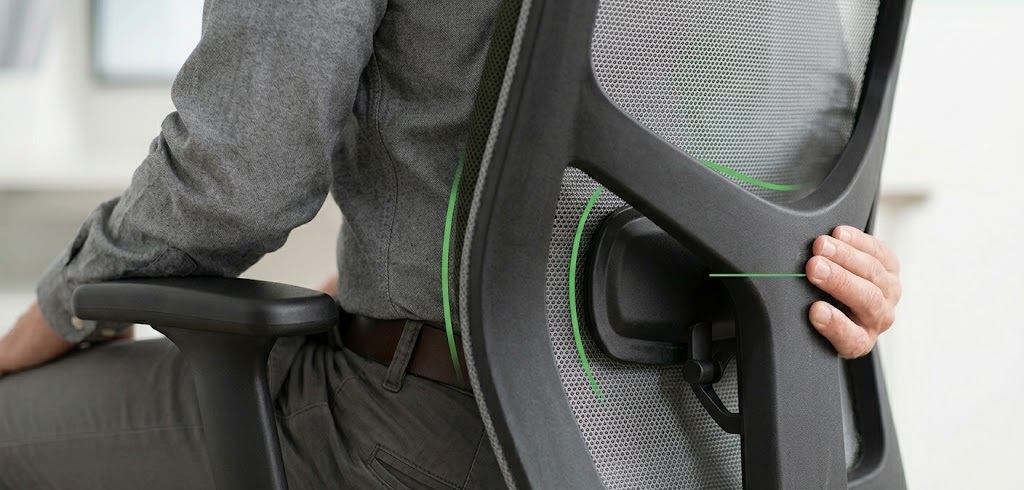
Most high-quality office chairs come with a built-in, height-adjustable lumbar mechanism. When configuring these, always adjust your seat height and armrests first before fine-tuning the backrest. If you are looking to upgrade your current seat, check out our comprehensive guide on the best ergonomic office chairs under $300 to find models with excellent built-in adjustability.
Gaming Chairs
Many gaming chairs come with a detachable lumbar pillow rather than built-in support. People frequently ask where do you put lumbar support on a chair designed for gaming, given the bucket-seat style. The rule remains the same: use the straps to secure the pillow right at your belt line. Do not let it sag down into the crevice between the seat and the backrest.
Pairing with a Standing Desk
Even if you know exactly where to place lumbar support on chair setups, sitting for eight hours straight is never ideal. Alternating between sitting and standing is the ultimate ergonomic hack. If you want to maximize your workspace health, consider pairing your perfectly adjusted chair with an electric standing desk to keep your muscles engaged and your blood flowing throughout the day. For more insights on the health impacts of static posture, you can review guidelines from authorities like MedlinePlus.
Final Thoughts for a Pain-Free Workday
Achieving the perfect ergonomic posture isn’t a one-time event; it’s an ongoing habit. As you settle into your workstation tomorrow morning, take a quick ten seconds to check your alignment. Knowing where to place lumbar support on chair backrests is the most critical step in safeguarding your spine against the rigors of desk work.
Remember, the goal is natural alignment. Your chair should do the hard work of holding your spine in its natural ‘S’ curve, allowing your back muscles to completely relax. Slide your hips all the way back, align the support with your belt line, and enjoy a much more comfortable, productive, and pain-free workday!