
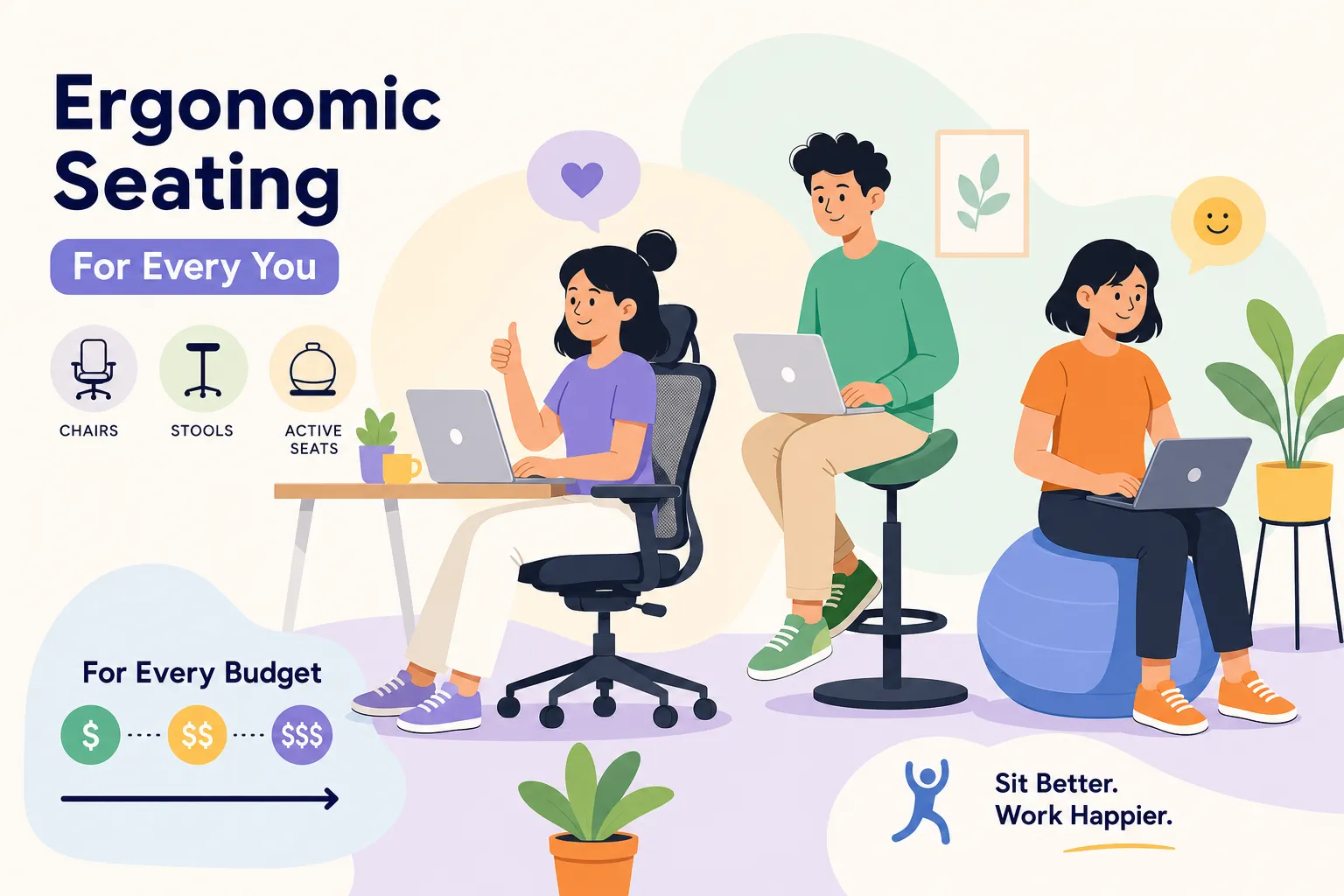
Many home office workers are sitting in the wrong chair for their body and work style, and the problem often doesn’t reveal itself until lower-back pain or hip stiffness sets in. Choosing the right ergonomic seating solutions sounds straightforward, but the options (task chairs, active stools, kneeling seats, hybrid seats) are genuinely different tools for different situations. At Ergo Setup Lab, we’ve tested chairs and seating systems across every price point, from $150 mesh chairs to $2,000 commercial-grade task chairs, so you don’t have to guess your way through the process.
This guide breaks down every major seating category, explains what the research actually says about chairs and back pain, walks you through how to measure your own body before you buy anything, and gives you a curated shortlist of the best ergonomic seating solutions at every budget. By the end, you’ll have a clear decision framework instead of a browser full of open tabs.
Which ergonomic seating solutions fit your situation
Before you start comparing chairs by price or brand, you need to know which category of seating matches your work style. Not every type works for every person, and buying the wrong category is one of the most common, and expensive, mistakes home office shoppers make.
Task chairs: the workhorse for long workdays
If you sit for six or more hours a day, a fully adjustable task chair is almost certainly your starting point. These ergonomic chairs are designed to accommodate a wide range of body types and postures through multiple adjustment points: seat height, seat depth, lumbar support, recline tension, and armrest position. They’re the right pick for most remote workers, especially anyone dealing with recurring lower-back pain or end-of-day fatigue. In most reviews and retailer categories, the term “ergonomic chair” typically refers to a fully adjustable task chair, and for good reason.
Active stools and sit-stand hybrids: seating that keeps you moving
Active stools and sit-stand hybrid seats are designed for people who pair their seating with a height-adjustable desk or want to move more throughout the day. These aren’t replacements for a quality task chair; they work best as a complement or for shorter, focused sessions where you shift between sitting and perching. If you already own or plan to buy a standing desk, adding one of these as a second seating option gives you a meaningful range of posture throughout the day.
Kneeling chairs and seat cushions: targeted solutions for specific needs
Kneeling chairs tilt your pelvis forward and shift some of your weight to your shins, which may reduce lumbar compression for certain users based on limited biomechanical evidence. They tend to work well for shorter sessions and for people who already prefer a forward-leaning posture, but they’re not well-suited to long workdays and offer limited back support. Seat cushions are the most practical option for someone who can’t replace their current chair: a quality memory foam or coccyx-relief cushion can meaningfully improve comfort without a full chair swap, though it won’t correct a chair that’s fundamentally wrong for your body.
What the research says about chairs and lower-back pain
Not all chair features reduce back pain equally. Understanding the hierarchy helps you evaluate any chair against criteria that actually matter, rather than relying on marketing language like “advanced lumbar technology.”
The four chair features that reduce back pain, ranked by impact
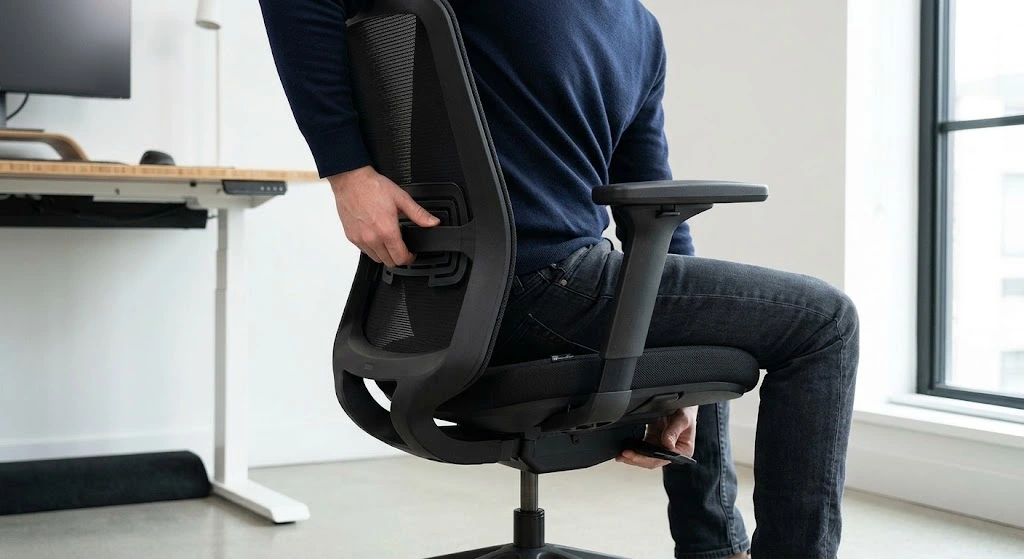
Multiple occupational health studies consistently point to adjustable lumbar support as the highest-impact feature. Research has reported 35, 40% reductions in lower-back pain when lumbar support is properly adjustable and correctly positioned, compared to standard fixed-back chairs. The key word is “adjustable”: a lumbar bump fixed at one height helps some people and misses others entirely. After lumbar support, seat depth adjustability ranks second because it determines whether your pelvis is positioned neutrally or tilted in a way that loads the lumbar spine over time.
Third on the list is tilt and recline with tension control. A slight recline, around 100, 110 degrees, actually reduces lumbar disc pressure more than sitting perfectly upright. Many people associate good posture with a rigid 90-degree position, but the research doesn’t support a strictly upright posture as the ideal. Finally, adjustable armrests rank fourth: they don’t directly reduce lower-back pain, but they offload shoulder and neck tension, which has downstream effects on how you hold your torso throughout the day.
Mesh vs. foam seats: which material actually holds up
Mesh wins on breathability and long-term structural integrity. Quality mesh stays cool, resists compression over years of daily use, and maintains consistent support in a way that foam struggles to match past the two-to-three-year mark. Foam offers a softer, more cushioned initial feel that many people prefer, but it tends to flatten and lose meaningful support within two to five years, sometimes sooner with heavy daily use. If you work in a warm space or sit for long sessions, mesh is the clearer practical choice. If you prefer a softer feel and work in a cooler climate, foam or a hybrid seat with a foam cushion and mesh back can be a reasonable middle ground.
How to measure your body before buying any chair
Skipping body measurements before buying a chair is exactly how people end up with expensive adjustable office chairs that still hurt after 30 minutes. This step takes five minutes and eliminates most guesswork upfront.
The three measurements that determine chair fit
Sit on a firm, flat surface with your feet flat on the floor and your knees at roughly 90 degrees. Wear your normal work clothes.
First, measure your popliteal height: the vertical distance from the floor to the crease behind your knee. This tells you what seat height range you need. Second, measure your buttock-popliteal length: the horizontal distance from the back of your buttocks to the crease behind your knee. This determines your ideal seat depth. Third, measure from the seat surface up to your shoulder to understand what backrest height you need for full upper-back support.
Matching your numbers to chair specifications
Once you have those three numbers, cross-reference them against a chair’s listed adjustment ranges before you buy. For seat height, your popliteal height is your target: feet should sit flat on the floor without a footrest when the chair is properly set. For seat depth, look for a chair that allows 2, 3 finger widths of clearance between the seat edge and the back of your knee when you’re seated all the way back. Most chair manufacturers list minimum and maximum seat height and depth in their product specs, so you can filter out chairs that won’t fit your body before you spend a dollar.
Top ergonomic seating solutions for every budget
These are Ergo Setup Lab’s curated picks based on hands-on testing and consistent expert review consensus. Each recommendation connects to a specific use case so you can match the chair to your situation rather than just your budget.
Premium and best-overall task chairs (above $800)
The Steelcase Gesture is the strongest all-around pick for multi-posture support, particularly for people who shift between typing, phone calls, and leaning back to think. Its armrest range accommodates a wider variety of postures than most chairs at any price. The Herman Miller Aeron is a top choice for breathability and all-day durability, making it well-suited for people who sit long hours in warm environments. The Herman Miller Embody is built for marathon work sessions where sustained lumbar and back support are the priority. All three carry 12-year warranties and typically range from $800 to $2,500 depending on configuration.
Value task chairs that don’t cut corners ($300, $700)
The Branch Ergonomic Chair consistently earns the top spot in this range, offering 14 points of adjustment including 5D armrests and a two-way lumbar system, backed by a 7-year warranty. The Steelcase Series 1 is the durability-first pick in this tier, with a 400-lb weight rating and 12-year warranty at a fraction of the Gesture’s price. The HON Ignition 2.0 rounds out this category as a dependable mesh option that covers the core ergonomic adjustment points without unnecessary complexity. If you can’t yet justify a premium chair, any of these three will serve you well for years of daily use.
Best sit-stand stools and active seating picks
The HÅG Capisco 8106 is the clearest choice for anyone with a height-adjustable desk. Its saddle-style seat and high adjustment range let you shift between a conventional seated position and a forward perch throughout the day, helping reduce the sustained pressure on your lower spine that comes from holding one position for hours. The HÅG SoFi Mesh 7500 is built for movement-oriented active seating during long seated periods, encouraging subtle micro-movements that standard task chairs don’t allow. These aren’t replacements for a primary task chair, but they’re among the most practical ergonomic furniture solutions when you want to introduce more postural variety into your workday.
How to set up your new chair for day-one comfort
A well-designed chair adjusted incorrectly delivers far less than its potential. Most people unbox a chair, sit down, and adjust the height roughly, then wonder why their back still hurts, skipping the two adjustments that matter most.
Dialing in seat height and depth first
Set seat height so your feet rest flat on the floor, your thighs are roughly parallel to it, and your knees are near 90 degrees. Then adjust seat depth so 2, 3 finger widths of space remain between the seat’s front edge and the back of your knee. The majority of “comfortable chair, still sore” complaints trace back to skipping one or both of these steps. Get these two right before touching any other adjustment.
Setting lumbar support and tilt correctly
Position the lumbar support so it meets the natural inward curve of your lower spine, which sits lower than most people expect, roughly at belt level. If the lumbar support is pressing into the middle of your back, it’s too high. Then set your tilt tension to allow a slight recline: that 100, 110 degree trunk angle reduces lumbar disc pressure measurably more than sitting upright. Both adjustments tie directly back to the research hierarchy covered earlier, and both are ones most people never revisit after the first five minutes in a new chair.
Your buying checklist: matching a chair to your body, work style, and budget
The right ergonomic seating solution depends on five practical questions, and the answers drive you directly to the right category and price point.
Five questions to answer before you buy
- How many hours a day do you sit?Under four hours opens more options; six-plus hours makes a fully adjustable task chair non-negotiable.
- Do you have a standing desk or plan to get one?If yes, a sit-stand stool becomes a meaningful addition rather than a novelty.
- Do you currently experience lower-back, hip, or shoulder pain?Existing pain shifts the priority firmly toward adjustable lumbar support and seat depth.
- What is your actual budget, including long-term cost per year of use?A $1,400 chair with a 12-year warranty costs less per year than a $350 chair replaced every three years.
- Do you run warm or work in a hot space?If yes, mesh is strongly recommended, it’s the material best suited to warm environments and long sessions.
Warranties and return policies: what to look for
Premium brands, Herman Miller, Steelcase, and Haworth, back their chairs with 12-year warranties, which reflects genuine confidence in long-term durability. Mid-range brands like Branch offer 7 years, which is still strong. Budget options typically cap at 1, 3 years, meaning a chair priced at $200 could cost you more over five years than a mid-range chair with a longer warranty. Haworth publishes a 30-day return policy on select chairs, which is the kind of policy worth looking for at any price point. Always confirm the return policy before purchasing any chair above $500, because fit is personal and no review covers every body type.
Ergo Setup Lab’s downloadable buying checklist includes a side-by-side warranty and return policy comparison across the top brands, so you can confirm the details before committing to a purchase.
The bottom line on ergonomic seating solutions
The right ergonomic seating solutions come down to three decisions: which category matches your work setup, which features your back actually needs, and what total cost of ownership makes sense for your budget. Brand reputation and aesthetics are secondary to whether the chair fits your body and supports the adjustments you’ll actually use every day.
You now have clarity on all three decisions. You know how to measure yourself, what features the research prioritizes, and which specific chairs deliver at each price tier. The next step is matching that knowledge to a purchase you’ll feel good about for the next decade. Visit Ergo Setup Lab for detailed chair comparison guides, full setup walkthroughs, and the complete downloadable buying checklist to move from research to a setup that actually works for your body.