
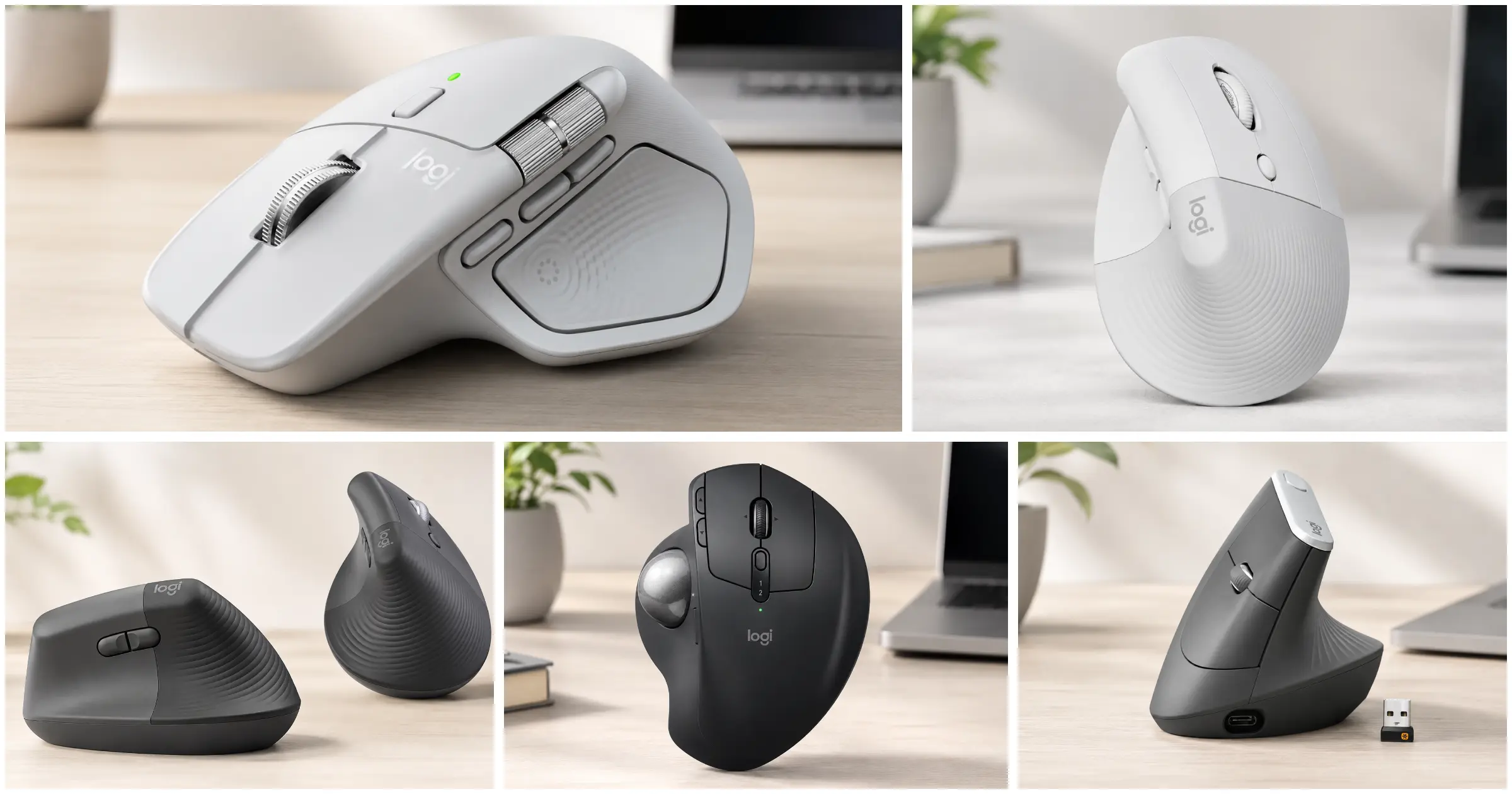
The Apple hardware ecosystem heavily prioritizes minimalist aesthetics. Sleek aluminum edges and low-profile peripherals look incredible on a glass desk. They also happen to wreak absolute havoc on human anatomy.
The standard Magic Mouse forces the hand into a flat, unnatural claw grip. Prolonged use compresses the carpal tunnel space and strains the flexor tendons. For professionals spending eight to twelve hours a day rendering video, debugging code, or analyzing spreadsheets, switching to the best ergonomic mouse for Mac is not a luxury upgrade. It becomes a biological necessity to sustain a career.
In early 2026, the peripheral market saw a massive influx of updated hardware. Sensor technology hit an 8,000 DPI ceiling. Sustainable recycled plastics became the manufacturing standard. Yet, physical geometry remains the ultimate deciding factor in relieving wrist pain.
This analysis evaluates the current market leaders based on biomechanical alignment, structural integrity, macOS software integration, and switch durability. The testing methodology breaks past the marketing jargon to expose exactly how these devices perform under sustained industrial workloads.
The Brutal Reality of Budget Ergonomics Mouse for Mac
Understanding the mechanics of wrist pain requires a brief lesson in basic anatomy. Traditional flat mice force the human forearm into a twisted position known as pronation.
Imagine holding a natural handshake. The radius and ulna bones in the forearm run parallel to each other. Twist that hand flat against a desk. Those two bones now cross over one another. This twisted state significantly increases the activation threshold of the pronator teres muscle group.
The longer the arm stays locked in pronation, the more tension builds in the flexor carpi radialis muscle. Ergonomic mice aim to correct this biological anomaly. Vertical designs rotate the hand outward, shifting the angle to approximately 57 degrees. Trackball designs eliminate sweeping arm movements entirely.
Budget ergonomic peripherals often fail disastrously at solving these issues. Cheap models copy the outward shape but ignore the precise weight distribution required for a stable grip. A poorly balanced vertical mouse forces the user to pinch the device tightly to lift it. This constant pinching triggers severe tendon strain, completely negating the ergonomic benefits of the vertical tilt.
Furthermore, budget sensors jitter on glossy desks. Inconsistent tracking forces the brain to subconsciously over-correct cursor movements. This micro-tension travels straight up the forearm. True ergonomic relief requires a synergy of precise physical geometry, frictionless glide, and flawless sensor tracking.
Quick Comparison Table
| Product Name | Product Image | Best For | Key Feature | Core Spec | Check Amazon |
|---|---|---|---|---|---|
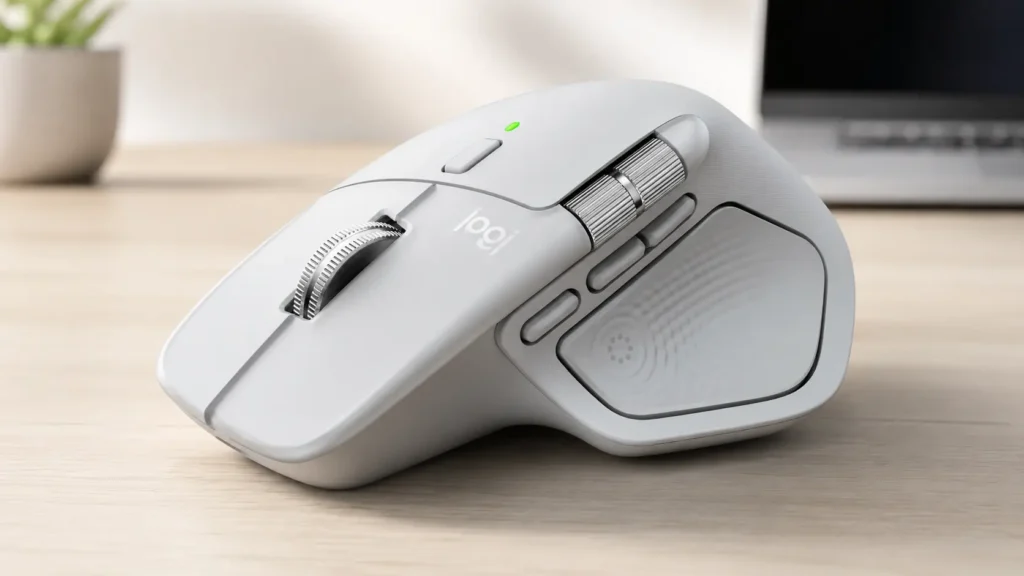
| Logitech MX Master 4 for Mac | 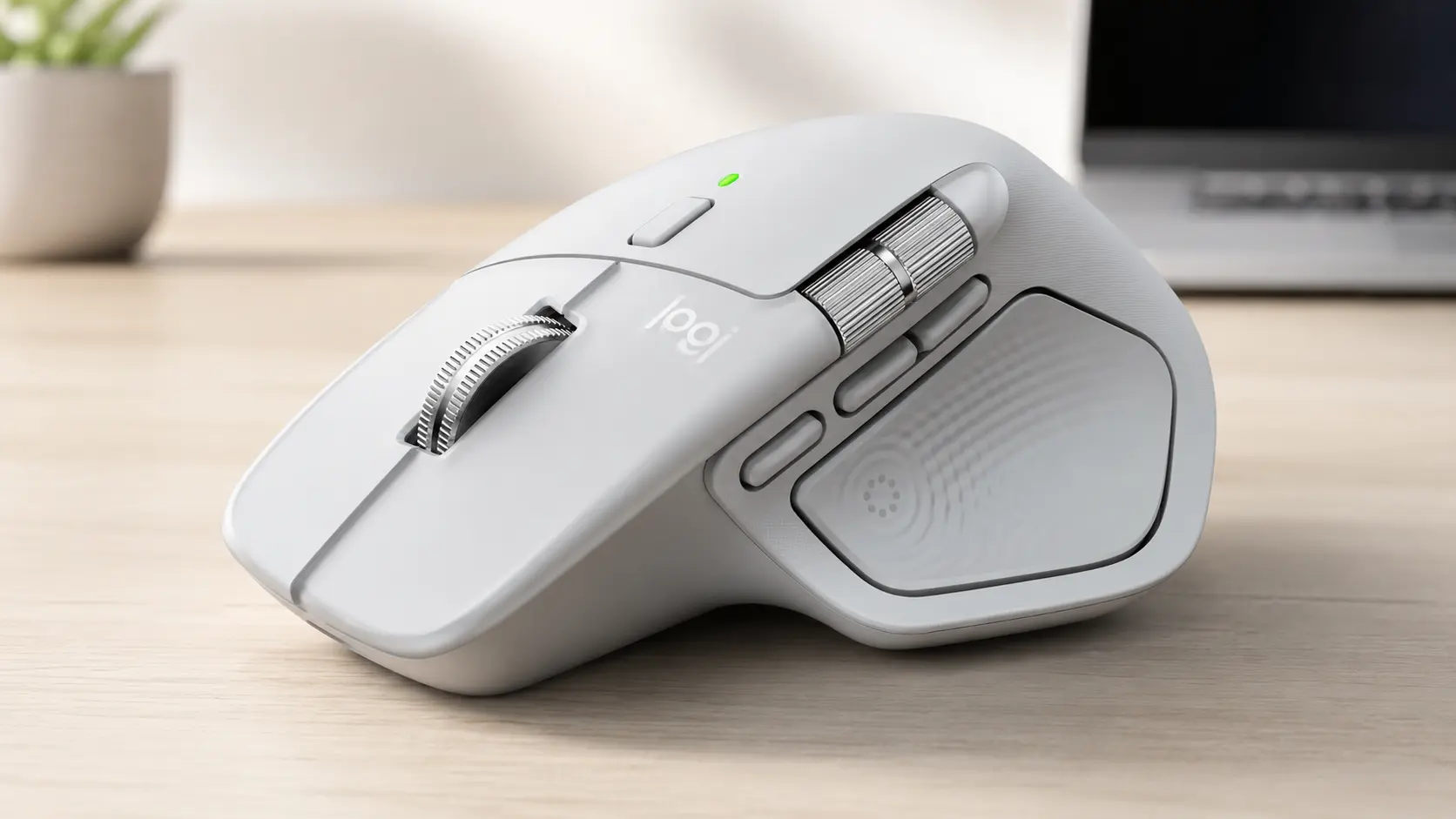 | Power users & creatives | Actions Ring & Haptic Sense | 8,000 DPI Sensor | 🛒Check Price on Amazon |
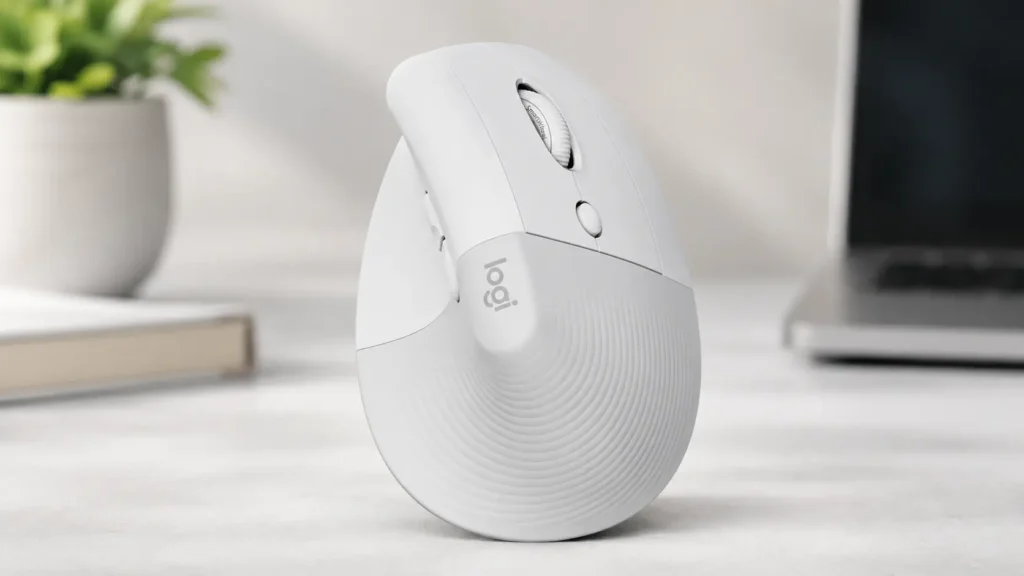
| Logitech Lift for Mac | 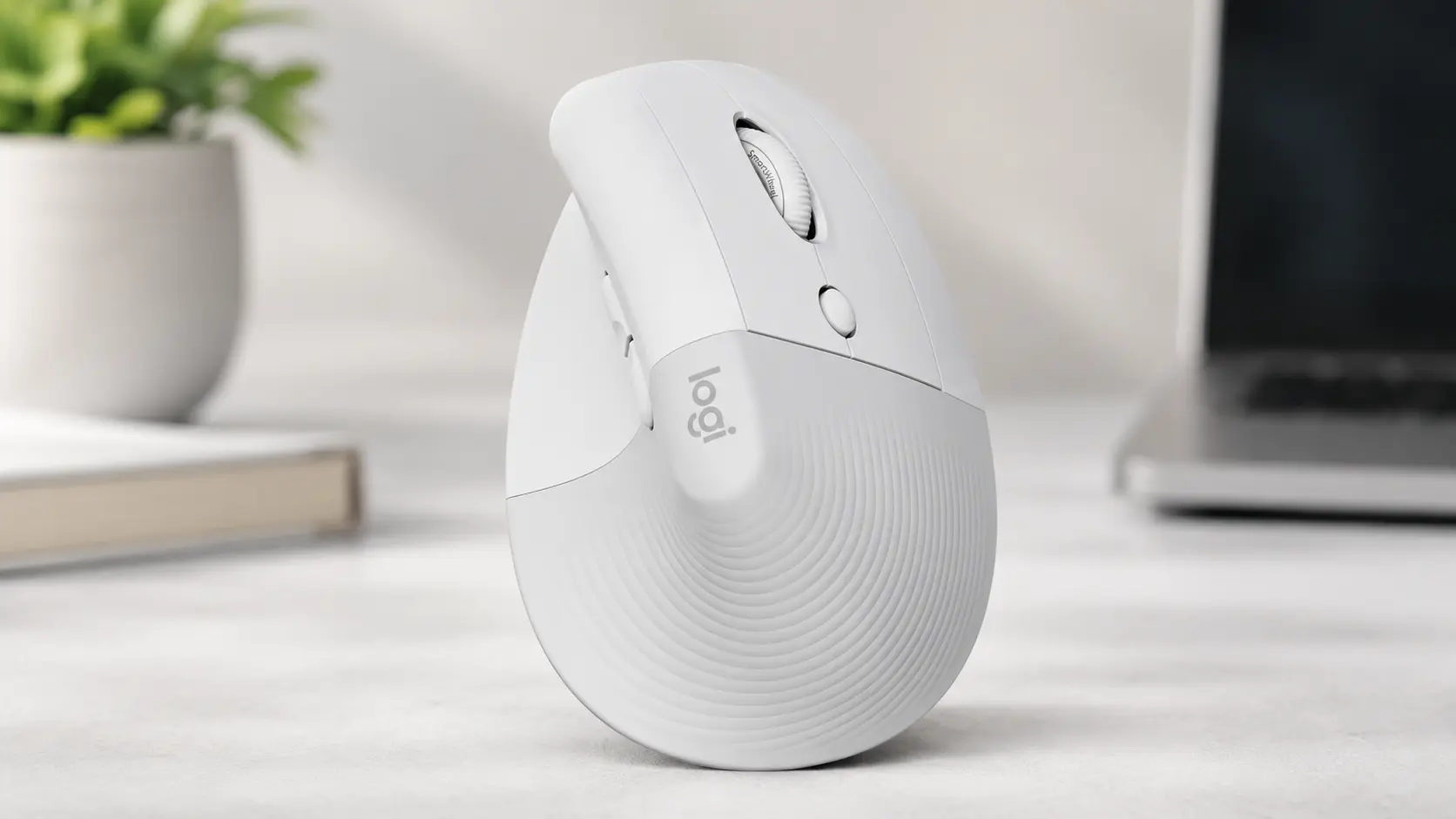 | Small/Medium hands (Apple aesthetic) | 57° Vertical Angle | Bluetooth Low Energy | 🛒Check Price on Amazon |
| Logitech Lift Vertical (Standard) | 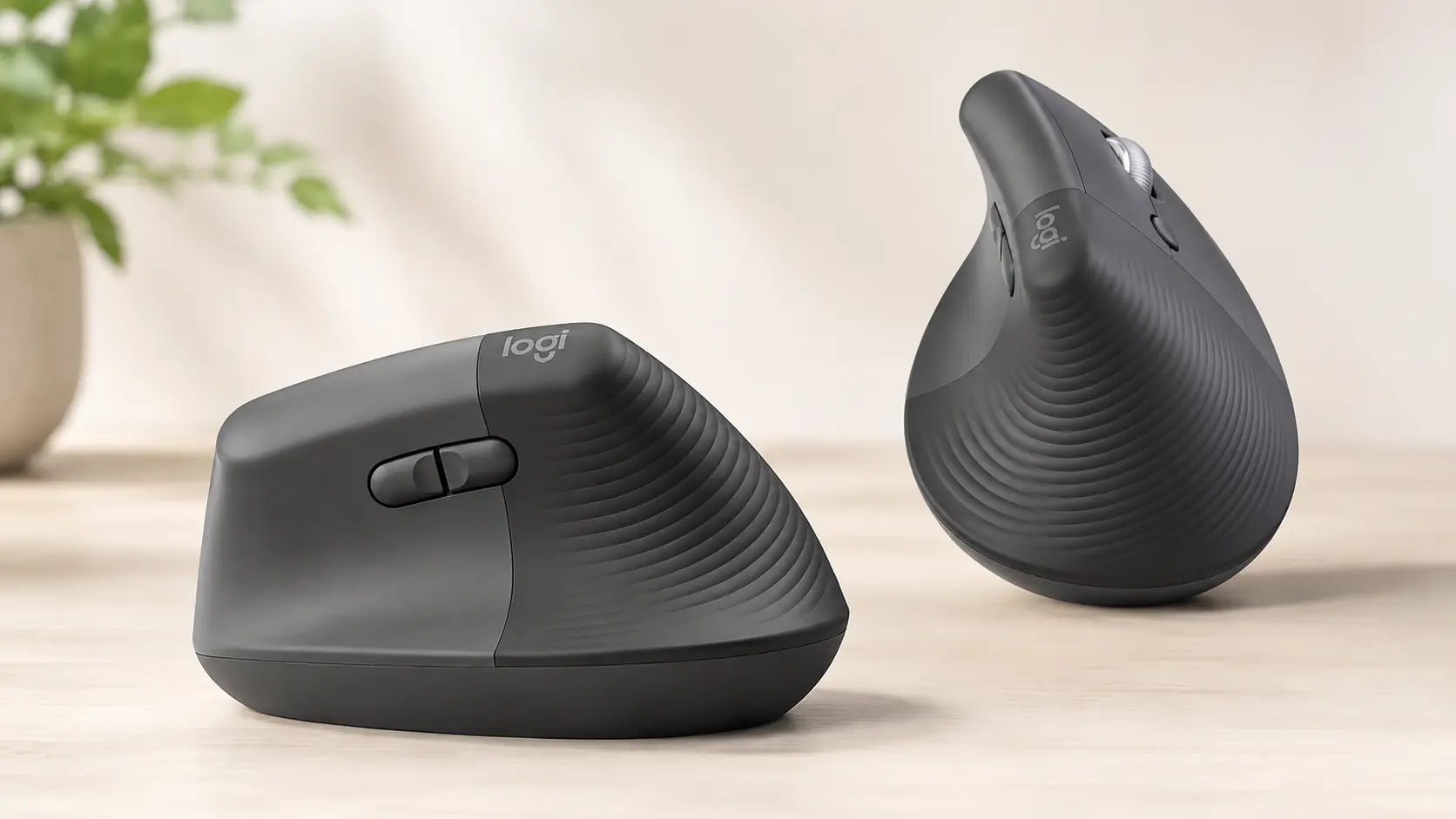 | Multi-OS users (Mac/Windows) | Logi Bolt Receiver Included | Up to 2-Year Battery | 🛒Check Price on Amazon |
| Logitech MX Ergo S | 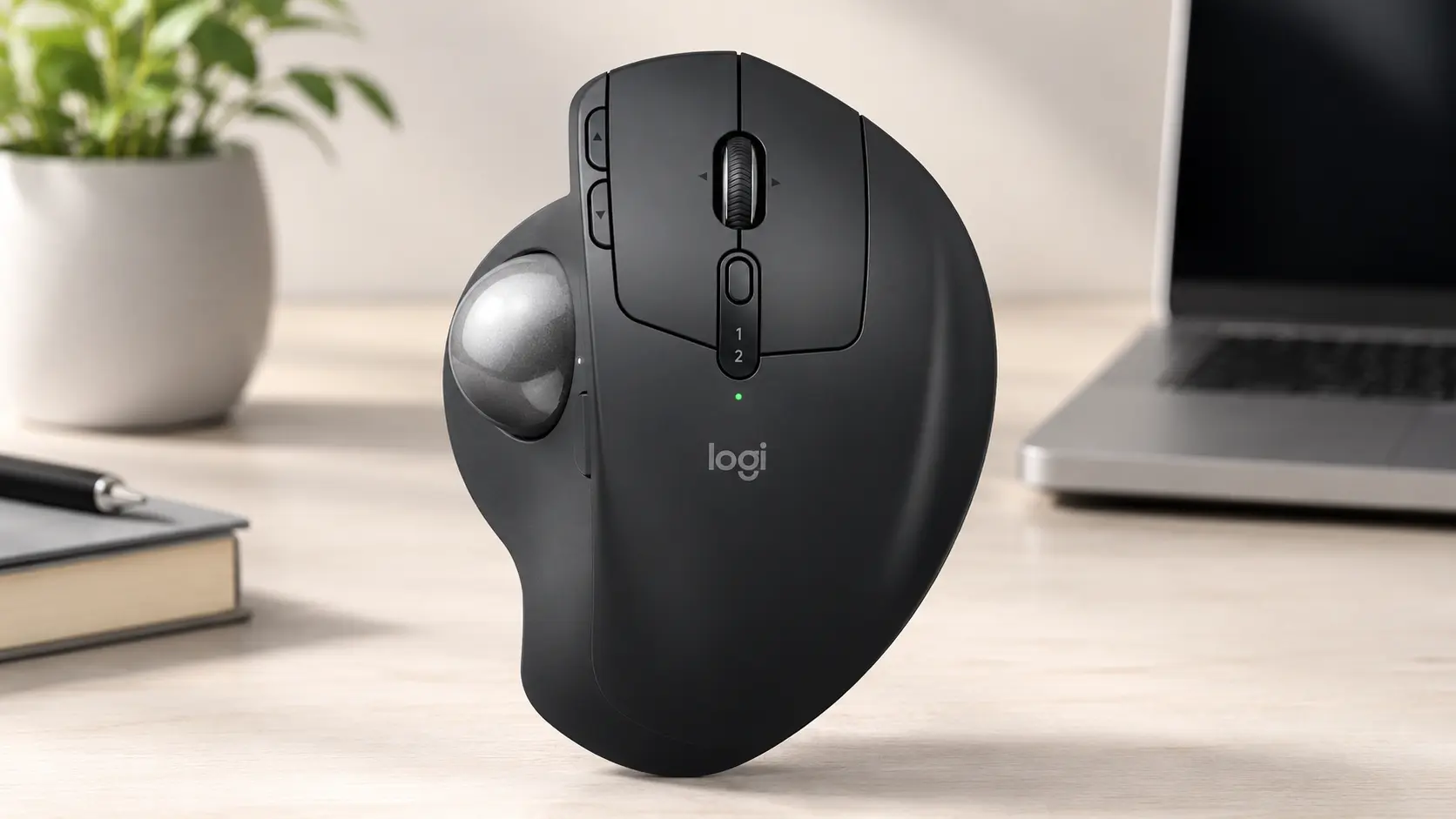 | Extreme RSI & tight desk space | 20° Adjustable Tilt Trackball | USB-C Fast Charging | 🛒Check Price on Amazon |
| Logitech MX Vertical | 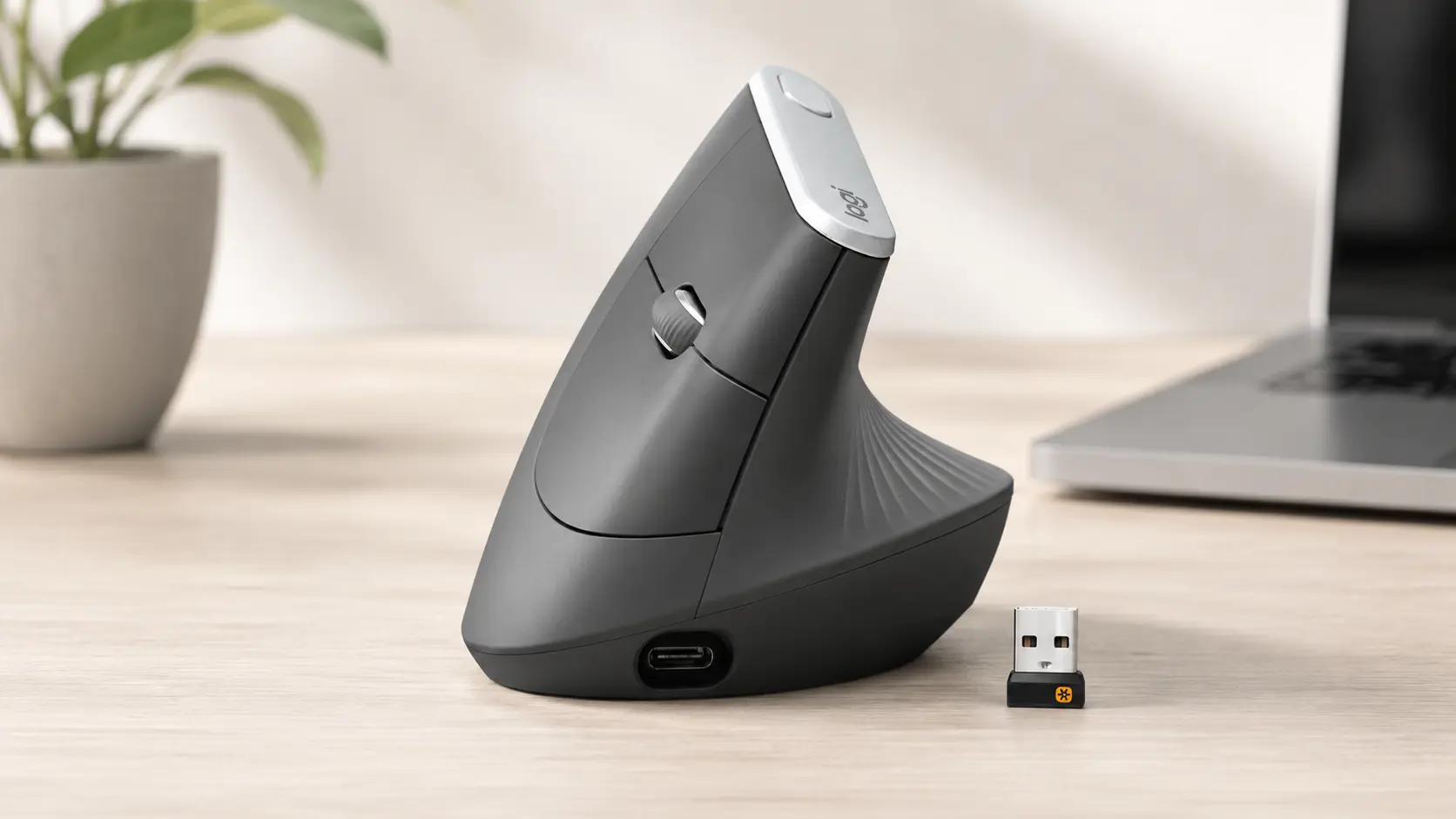 | Medium/Large hands on a budget | Proven 57° Design | 4,000 DPI Sensor | 🛒Check Price on Amazon |
1. Logitech MX Master 4 for Mac
The MX Master series essentially holds a monopoly on the premium productivity market. Launched in late 2025, the MX Master 4 refines an already dominant silhouette. It brings aggressive internal upgrades while retaining the recognizable sculpted thumb rest.
Biomechanical Profile
This device does not use a steep vertical orientation. Instead, it relies on a natural, aggressive tilt that supports the thenar eminence (the fleshy base of the thumb).
The chassis weighs 10.2 ounces (roughly 150 grams). This substantial mass anchors the device on the desk pad. Users with larger hands will find the 6.5-inch long arch fills the palm perfectly. It prevents the fingers from dragging across the mousing surface.
The thumb rest flares outward, providing a stable platform that eliminates thumb-drag friction entirely. The structural design reduces repetitive hand movements by up to 63% compared to standard flat designs.
Sensor and Software Synergy
Logitech deployed an 8,000 DPI Darkfield sensor here. High DPI is not just a gaming specification. For video editors navigating across multiple 4K Mac Studio displays, an 8,000 DPI sensor means the cursor crosses all screens with microscopic physical hand movement.
Less movement equals less fatigue. The Darkfield technology tracks flawlessly on glass, a notorious weak point for standard optical sensors.
The software ecosystem heavily defines the Master 4 experience. The Logi Options+ app introduces Smart Actions and the new Actions Ring. Pressing the haptic thumb button summons a dynamic, app-specific overlay right at the cursor.
This ring adapts based on the active macOS window. In Final Cut Pro, it offers blade and timeline tools. In Excel, it provides formatting shortcuts. The physical Haptic Sense panel vibrates to confirm these selections. It creates a tactile illusion of pressing physical buttons on a digital interface.
Structural Mechanics and Hardware
The MagSpeed scroll wheel remains an engineering marvel. Electromagnets govern the resistance. Scroll slowly, and it provides a satisfying, ratcheted click.
Flick it hard, and the magnets disengage. The solid low-carbon aluminum wheel spins freely, tearing through a thousand lines of code per second. A secondary thumb scroll wheel sits just above the thumb rest, enabling smooth horizontal timeline navigation without requiring keyboard modifiers.
The main left and right switches have been heavily dampened. They are 90% quieter than older generations. The clicks feel softer but retain a distinct, reliable actuation point. The battery yields 70 days of operation, with a one-minute USB-C charge providing three hours of emergency power.
The Brutal Truth (Flaws & Limitations)
Despite its flagship status, the MX Master 4 possesses undeniable flaws. The new translucent coating on the primary clickers feels distinctly chalky fresh out of the box. It aims to improve stain resistance and prevent sweat buildup, but the tactile sensation can be off-putting initially.
The thumb cluster layout suffered a minor regression. The forward and back buttons sit too far back on the chassis. The operator will inevitably misclick the forward button when reaching for the back function until muscle memory rewires itself over a few days.
The haptic feedback system, while innovative, currently relies on a narrow list of supported plugins through the Logi Marketplace. If the workflow operates outside of standard Adobe or Microsoft suites, the Actions Ring loses much of its contextual magic.
Finally, the Mac-specific version completely omits the USB dongle. It relies entirely on Bluetooth connectivity. While macOS Bluetooth protocols have improved, highly congested wireless environments can still cause micro-stutters. A device at this price tier should feature a hidden storage compartment for an emergency physical receiver.
2. Logitech Lift for Mac Vertical Ergonomic Mouse
The Logitech Lift for Mac attacks wrist pain directly by forcing the arm into a neutral posture. It also adopts a softer, minimalist Off-White aesthetic designed to sit next to an aluminum MacBook without looking like heavy industrial machinery.
Biomechanical Profile
The Lift utilizes a strict 57-degree vertical angle. This specific mathematical tilt is not arbitrary. Ergonomists identify 57 degrees as the optimal biological balance point.
It uncrosses the radius and ulna bones enough to relieve carpal tunnel pressure. Concurrently, it keeps the hand flat enough to maintain fine cursor control. A pure 90-degree handshake position relieves the most pressure but causes massive instability when trying to double-click a tiny spreadsheet cell. The 57-degree tilt solves this compromise perfectly.
The Lift specifically targets users with petite to medium hands. The 5.8-inch curvature hugs a smaller palm tightly. The softly textured grip and snug thumb rest actively support the joint, reducing static tension in the thenar muscle group.
Sensor and Mechanics
Tracking is handled by a competent 4,000 DPI optical sensor. It lacks the glass-tracking capabilities of the Darkfield sensor found in the Master series. The operator will need a proper desk mat for optimal tracking.
The scroll wheel utilizes a silent magnetic SmartWheel design. It lacks the heavy, free-spinning inertia of the MagSpeed wheel. Instead, it offers a smooth, rubberized glide that emits virtually zero noise.
The primary clicks are equally silent. This device excels in quiet, shared office spaces or coffee shops. Power comes from a single included AA battery, completely skipping the internal lithium-ion route.
This design choice keeps the weight down to a highly maneuverable 4.4 ounces (125 grams). That single battery easily provides up to two years of continuous operation, eliminating daily charging anxiety.
The Brutal Truth (Flaws & Limitations)
The sizing on the Lift is unforgiving. It is explicitly built for smaller hands. If a user with hands larger than 19cm attempts to use the Lift, disaster strikes.
The palm extends too far over the apex of the curve. The fingers overhang the buttons. This forces a cramped “claw grip” to maintain control. This claw grip spikes tension in the flexor tendons, ironically increasing the exact repetitive strain injuries the mouse was purchased to prevent. Precise hand measurement is absolutely critical before acquiring this device.
Additionally, the “For Mac” designation brings a severe hardware limitation. It drops the physical USB receiver entirely. It only connects via Bluetooth Low Energy. For older Intel Macs with degrading Bluetooth antennas, this can result in frustrating connectivity drops or input lag.
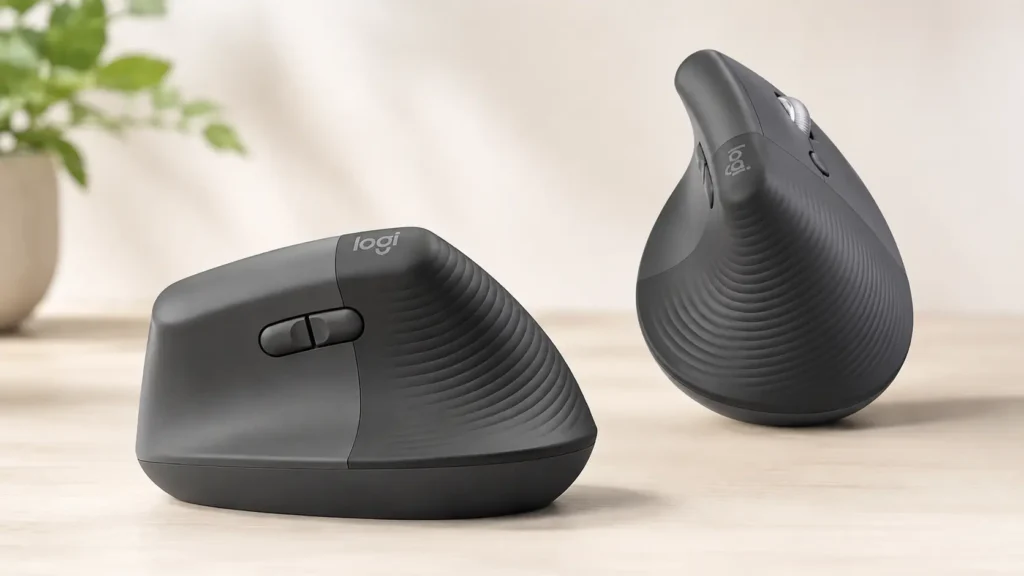
3. Logitech Lift Vertical Ergonomic Wireless Mouse
This is the standard, multi-OS variant of the Lift. It shares the exact same physical chassis, mechanical switches, and sensor hardware as the Mac-specific version. However, it targets a much broader user base and solves the connectivity issues of the Mac variant.
Multi-OS Flexibility
Professionals rarely exist in a single-platform vacuum. A user might own a MacBook Pro for personal video editing, but log into a Windows 11 ThinkPad for corporate duties. The standard Lift features universal compatibility.
It bridges macOS, iPadOS, Windows, Chrome OS, and Linux seamlessly. The Easy-Switch button on the underside allows instant toggling between three paired hardware devices. The operator can drag a file on a Mac, tap a button, and drop it on a Windows machine.
The Connectivity Advantage
The most critical advantage this standard version holds over the Mac-specific variant is the connectivity hardware. It ships with a physical Logi Bolt USB-A receiver included in the box.
Bluetooth connections in dense apartment buildings or crowded offices often suffer from interference. The 2.4GHz spectrum gets jammed by routers, microwaves, and neighboring peripherals. The Logi Bolt receiver cuts through this interference using a secure, encrypted protocol.
It provides a rock-solid, zero-latency connection. For Mac users utilizing a Thunderbolt dock, plugging the Logi Bolt receiver directly into the hub guarantees flawless, uninterrupted tracking.
Structural Mechanics
The textured rubber grip wraps around the entire back half of the device. This provides excellent tactile friction. The hand locks into place without requiring a tight physical squeeze.
The 57-degree angle performs identically to its Mac-branded sibling, vastly reducing pronator teres fatigue over a ten-hour shift. Logitech also deserves massive credit for manufacturing a dedicated left-handed version of this standard Lift model.
Using a right-handed ergonomic mouse in the left hand twists the wrist in the completely wrong direction, multiplying the joint damage. The left-handed Lift SKU is a rare and vital lifeline for left-handed professionals suffering from RSI.
The Brutal Truth (Flaws & Limitations)
The standard Lift suffers from the exact same strict size limitations as the Mac version. Large hands will inevitably cramp trying to manipulate the small frame.
Long-term stress testing reveals some chassis flex under heavy load. The plastics creak slightly when gripped with excessive force during tense moments. The mechanical encoder governing the scroll wheel can develop a gritty, scratchy sensation after six to eight months of heavy daily scrolling. It lacks the indestructible feeling of premium aluminum wheels.
Finally, the included Logi Bolt receiver utilizes a USB-A connector. Modern MacBooks only feature USB-C ports. Users will require an adapter dongle or a desktop hub to utilize the receiver, adding physical clutter to the minimalist Apple workspace.
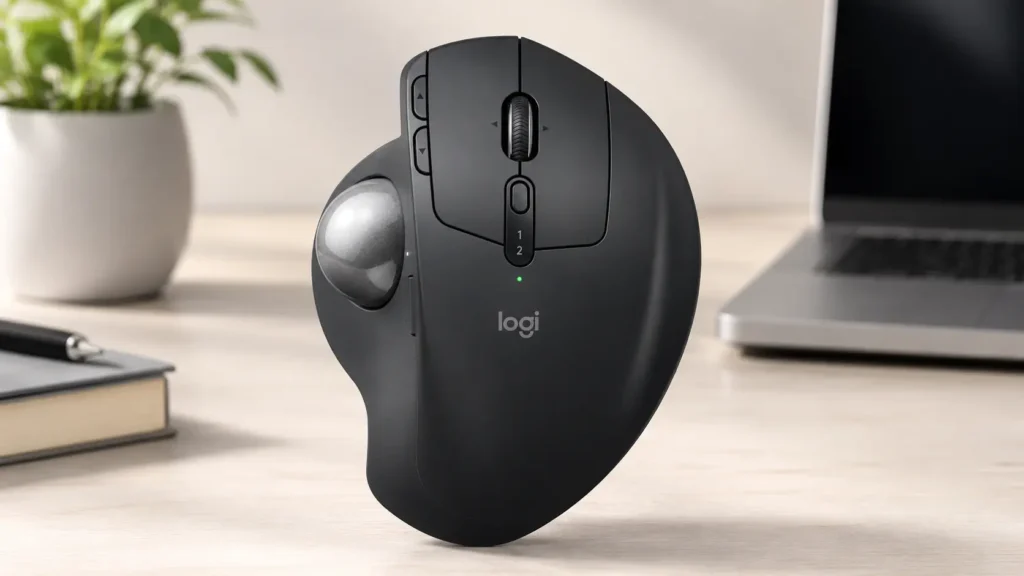
4. Logitech MX Ergo S Advanced Wireless Trackball Mouse
Trackball mice require a complete psychological and physical reset. The MX Ergo S does not move. The chassis remains planted on the desk. The user manipulates the cursor entirely by rolling a thumb-mounted sphere. This radical design is the ultimate remedy for severe shoulder, arm, and carpal tunnel injuries.
Biomechanical Profile
Traditional mice, even vertical ones, require the entire arm to pivot from the shoulder or elbow to move the cursor. For operators suffering from rotator cuff injuries, frozen shoulder, or severe repetitive strain, this sweeping motion is excruciating.
The MX Ergo S eliminates arm movement entirely. The hand rests statically on the deeply sculpted, matte-grey shell. The device features a magnetic metal base plate. This plate acts as a heavy hinge, allowing the user to tilt the entire mouse chassis either flat (0 degrees) or elevated to a 20-degree angle.
That 20-degree tilt is a structural game changer. It provides just enough supination to relax the forearm muscles by 27% compared to standard mice. It strikes a perfect ergonomic balance between standard pronation and extreme verticality.
Sensor and Hardware Upgrades
The 2024 “S” revision brought necessary modernization to an aging classic. Logitech swapped the outdated micro-USB port for fast USB-C charging. The internal battery delivers roughly 120 days of operation on a single charge, making battery anxiety obsolete.
The primary left and right clickers underwent a massive mechanical overhaul. They now feature quiet-click mechanisms. They produce a muffled, deep thud rather than a sharp plastic snap. This dramatically reduces acoustic fatigue in quiet environments, cutting noise by 80%.
Precision is a historical weak point for trackballs. Trying to highlight a single letter of 10-point font with a thumb roll is notoriously difficult. Logitech combats this with a dedicated DPI Speed Switch located directly adjacent to the trackball.
Pressing this button instantly drops the 2,048 DPI sensor to a crawl. The cursor slows down, allowing for surgical, pixel-perfect selections. Press it again, and the cursor speed returns to normal for rapid navigation across wide displays.
The Brutal Truth (Flaws & Limitations)
Trackballs demand a steep learning curve. The brain must remap years of arm-movement memory into localized thumb-movement memory. This transition takes at least a week. During this adaptation phase, productivity will drop sharply.
Structural issues persist heavily in the “S” variant. Deep stress testing and widespread user diagnostics indicate a concerning failure rate with the new silent switches. Specifically, the left-click mechanism can become unresponsive or mushy after several months of heavy use. The switch fails to actuate about a third of the time, leading to missed clicks and immense frustration.
The scroll wheel is a massive disappointment compared to the rest of the MX line. It lacks the MagSpeed technology. It feels stiff, resistant, and deeply cheap when scrolling through long PDF documents.
Finally, trackballs are inherently dirty devices. Skin oils, dead skin cells, and ambient dust get dragged inside the chassis by the rotating ball. This grime coats the optical sensor windows located inside the socket. When this happens, the cursor stutters violently. The operator must routinely pop the ball out through a hole in the bottom and scrub the internal sensors with a cotton swab. It is a tedious, unavoidable maintenance requirement.
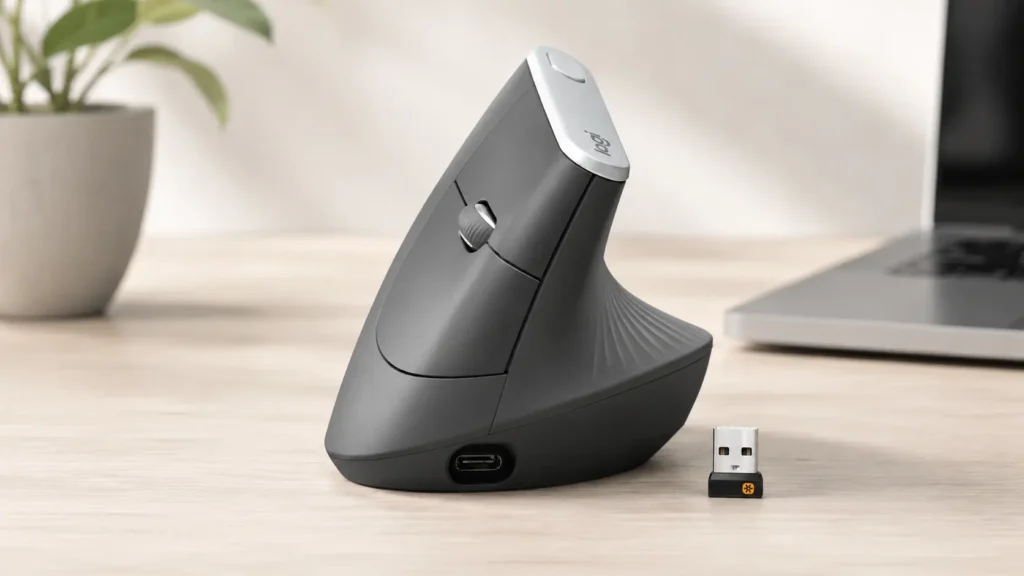
5. Logitech MX Vertical Advanced Ergonomic Mouse
Released in 2018, the MX Vertical is the elder statesman of the ergonomic world. While the Lift targets smaller hands, the MX Vertical remains the undisputed king for medium-to-large handed users requiring a steep vertical posture.
Biomechanical Profile
The MX Vertical establishes the gold standard 57-degree tilt. The chassis is significantly larger, taller, and longer than the Lift.
When an operator with large hands rests their palm against the MX Vertical, the fingers drape naturally over the primary buttons. There is no forced claw grip. The hand opens up into a relaxed, neutral handshake posture that reduces muscular activity by 10%. A pronounced, sweeping ridge runs along the thumb rest, locking the hand securely into the correct vertical orientation.
The surface material heavily contributes to the grip stability. The entire back half features deeply grooved, textured rubber. It channels sweat away and provides immense friction. The user never has to squeeze the mouse laterally to lift it off the desk.
Sensor and Connectivity
The 4,000 DPI high-precision sensor directly combats physical fatigue. A traditional 1000 DPI office mouse requires sweeping hand gestures to cross a large monitor. The 4000 DPI sensor on the MX Vertical reduces the required physical hand movement by a factor of four.
A dedicated cursor speed switch sits right on the aluminum top crest. Tapping it toggles between two customizable DPI settings instantly, transitioning from rapid navigation to precision editing without opening software menus.
Power delivery is handled via USB-C. A one-minute quick charge yields three hours of operation, completely eliminating downtime during crucial project deadlines. It connects via Bluetooth, a physical Unifying receiver, or directly via the USB-C cable as a wired device.
The Brutal Truth (Flaws & Limitations)
Age is the primary enemy of the MX Vertical. It lacks the whisper-quiet switches found on newer Lift models. The clicks are loud, sharp, and highly audible in a quiet room.
The scroll wheel is decidedly basic. It relies on a standard mechanical encoder. It lacks lateral tilt functionality, meaning users must rely on macOS software tweaks or a keyboard modifier to scroll horizontally across video timelines.
Size is a double-edged sword here. The high physical profile is actively hostile to small hands. Users with a palm length under 17cm will find themselves reaching awkwardly upward to hit the scroll wheel. This upward reaching strains the extensor tendons on the top of the hand, defeating the ergonomic purpose.
Finally, the aesthetic is polarizing. The deep rubber ridges and towering height make it look slightly like an alien artifact on a modern, minimal Mac desk setup.
Comprehensive Buying Guide: Engineering the Perfect Fit
Selecting an ergonomic mouse is identical to fitting a tailored suit. Specifications do not matter if the structural geometry clashes with the operator’s anatomy. Buyers must evaluate three critical metrics before purchasing.
1. The Hand Measurement Metric
Do not guess hand size. Using a tape measure, find the distance from the bottom crease of the palm (where it meets the wrist) to the tip of the middle finger.
If the measurement is under 18.5 cm, the Logitech Lift is the mathematically correct choice. The curvature will support the palm without forcing the fingers to overhang.
If the measurement is over 18.5 cm, the Lift will induce painful claw-grip tension. The MX Vertical or the MX Master 4 are the mandatory upgrades for large-handed structural support.
2. Evaluating the Axis of Pain
Where exactly does the pain manifest?
If the pain radiates along the top of the forearm and the outside of the elbow, the issue is pronator strain. A 57-degree vertical tilt (Lift or MX Vertical) physically prevents the twisting motion that causes this specific inflammation.
If the pain is isolated to the shoulder socket, neck, or bicep, the issue is sweeping arm fatigue. A trackball (MX Ergo S) is the optimal mechanical solution. Locking the arm in a static position allows the inflamed shoulder tissues to rest while digital work continues.
3. Polling Rates and macOS Productivity
Standard ergonomic peripherals max out at a 125Hz polling rate. The mouse reports its physical position to the Mac 125 times per second. For Excel, Photoshop, and web browsing, this is perfectly adequate.
However, users attempting to blend heavy gaming with productivity will feel a distinct input lag. Gaming requires a 1000Hz polling rate. Ergonomic mice are precision industrial tools, not high-speed gaming peripherals. Manage expectations accordingly.
4. Software Reliability on Apple Silicon
Logitech’s Logi Options+ software is required to unlock custom gestures, haptics, and the Actions Ring. While heavily optimized for macOS 14 Sonoma and beyond, the software can occasionally hang on the loading screen after background updates.
Users must ensure background processes are allowed in the Mac System Settings for the software to interface properly with the Bluetooth hardware. When functioning correctly, the ability to map Mac-specific gestures (like Mission Control or switching desktops) to physical mouse buttons massively accelerates workflow efficiency.
FAQ Section
Will an ergonomic mouse cure Carpal Tunnel Syndrome? Hardware is not medicine. An ergonomic mouse reduces the mechanical strain placed on the median nerve by correcting forearm posture. It acts as a preventative tool and a pain mitigation strategy. It prevents further daily irritation but will not instantly reverse existing severe nerve damage.
Why does the wrist hurt more during the first few days of using a vertical mouse? This is a standard neuro-adaptation curve. The body has spent decades utilizing the pronator teres muscle to manipulate flat mice. Shifting to a 57-degree angle forces dormant stabilizing muscles in the forearm and hand to suddenly engage. This causes temporary muscular fatigue. It typically subsides within five to seven days as muscle memory rewires itself.
Do these mice require special software on a Mac? They function perfectly out of the box using native macOS drivers for basic pointing and clicking. Unlocking the true value of the hardware (customizing the thumb buttons, tuning the scroll wheel resistance, or programming the Actions Ring) requires installing the Logi Options+ application.
Is a trackball mouse better than a vertical mouse? They solve entirely different mechanical problems. Trackballs eliminate shoulder and elbow movement. Vertical mice eliminate wrist twisting (pronation). Trackballs require thumb dexterity. Vertical mice require gross arm movement. The choice depends entirely on which specific joint is currently experiencing failure.
What is the difference between Bluetooth and the Logi Bolt receiver? Bluetooth relies on the Mac’s internal wireless antenna, which shares bandwidth with Wi-Fi and audio devices. The Logi Bolt is a dedicated physical USB receiver using a secure, encrypted 2.4GHz protocol. The Bolt receiver guarantees a zero-latency, interference-free connection, making it vastly superior for dense office environments.
Final Verdict
The ergonomic landscape in 2026 leaves no room for ambiguous choices. Apple hardware demands equally capable peripherals.
For the modern Mac power user manipulating heavy creative software, the Logitech MX Master 4 for Mac remains the apex tool. The 8K tracking, silent clicks, and robust thumb support justify the premium cost. The Actions Ring integration saves tangible hours on complex video and photo editing timelines.
For users suffering from acute forearm strain, hand size dictates the remedy. Small and medium hands must default to the Logitech Lift (the standard version is highly recommended to secure the physical Logi Bolt USB receiver). Large hands must rely on the towering, proven geometry of the Logitech MX Vertical to avoid claw-grip cramping.
The MX Ergo S exists as a specialized, highly effective rescue device for those with severe shoulder impingements or violently cramped desk spaces. Be prepared for the steep learning curve and strict maintenance requirements.
Stop ignoring joint pain. The human hand was not engineered to lay flat against a sheet of glass for ten hours a day. Upgrade the hardware. Realign the bone structure. Protect the career.